
In this article, I use Volatility 3 to aid in memory forensics. The memory dump file belongs to a blue team focused challenge on the LetsDefend website, titled “Memory Analysis”.
Disclaimer
I encourage individuals to try the challenge first on their own before consulting the write-up. This approach promotes independent problem-solving and allows for a more genuine learning experience.
Challenge Scenario
A Windows Endpoint was recently compromised. Thanks to our cutting-edge EDR/IDS solution we immediately noticed it. The alert was escalated to Tier 2 (Incident Responders) for further investigation. As our Forensics guy, you were given the memory dump of the compromised host. You should continue to investigate.
1. What was the date and time when Memory from the compromised endpoint was acquired?
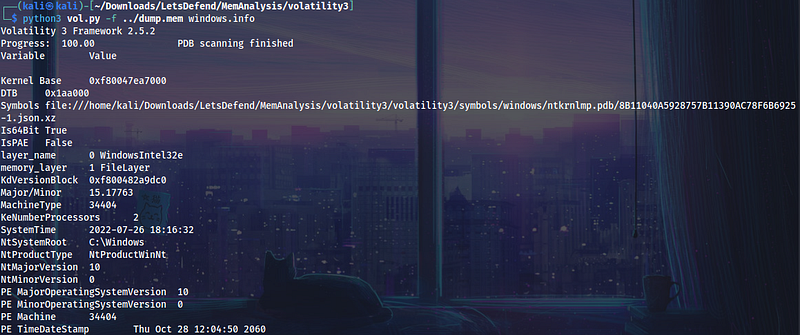
Upon executing this command, Volatility will use the windows.infoplugin to analyze the memory dump file with details about the Windows operating system that was installed on the machine, at the time the memory dump was taken. Looking through the information we see that the date and time of the memory dump was at 2022-07-26 18:16:32. Interesting enough we also see the windows version under PE MajorOperatingSystemVersion, some more information worth noting down.
python3 vol.py -f ../dump.mem windows.info
2. What was the suspicious process running on the system? (Format : name.extension)
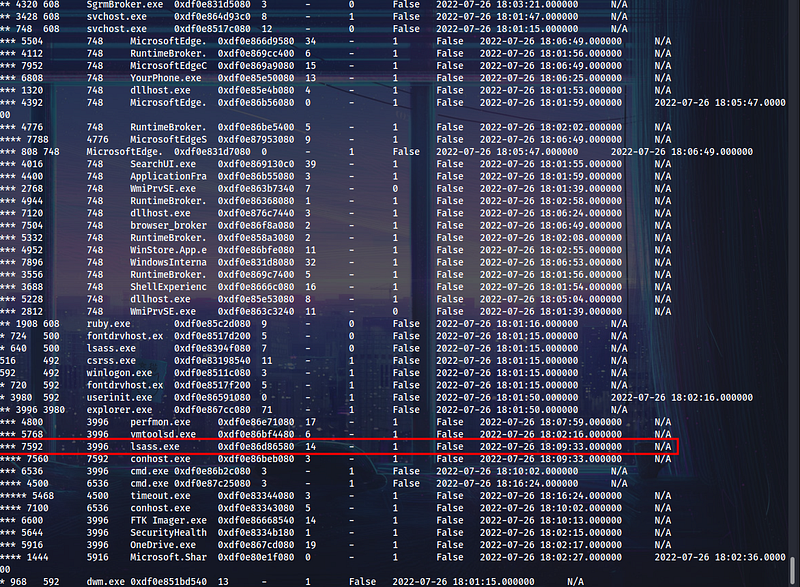
In order to answer this question we have to use the windows.pstreeplugin which displays the parent-child interactions between processes will be displayed in the process tree, offering an understanding of the relationships and flow of execution among different Windows system processes.
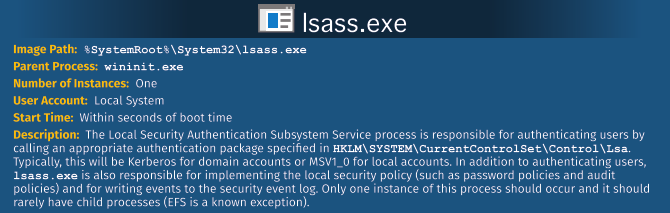
The process list below reveals that the parent process of the lsass.exeis explorer.exe, however this PDF by SANS above reminds us that the parent process for this should specifically be wininit.exe. We now have reasonable impression that this process is malicious.
python3 vol.py -f ../dump.mem windows.pstree
3. Analyze and find the malicious tool running on the system by the attacker. (Format name.extension)
With some new found suspicion let’s hone in on the lsass.exeprocess and analyze it. For our next steps, were going to analyze the specified memory dump file, list information about active processes (specifically the process with ID 7592), and then create a memory dump file for that process.
python3 vol.py -f ../dump.mem -o /home/kali/Downloads/LetsDefend/MemAnalysis windows.pslist --pid 7592 --dump

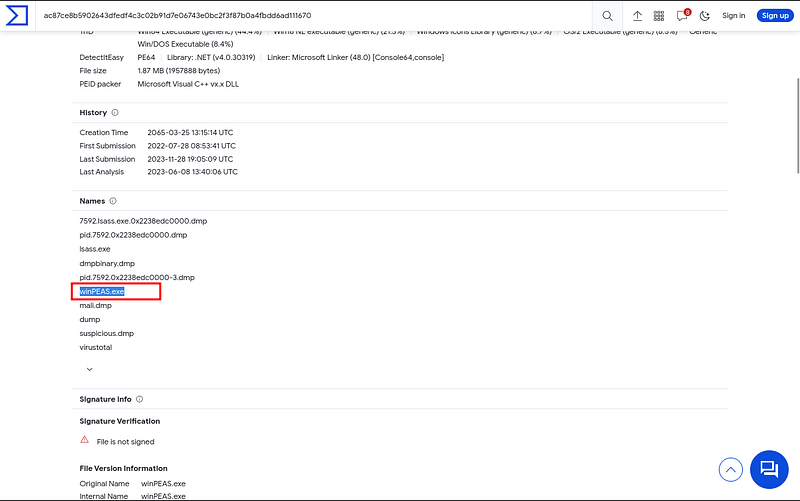
Now that we have the memory dump file on our system we can input it into VirusTotal for us to explore. After some digging we find out that VT pointed to it as winPEAS.exe, some potential privilege escalation going on.
4. Which User Account was compromised? Format (DomainName/USERNAME)
In order to list information about user sessions that were active on the Windows system at the time the memory dump was taken we will use the windows.sessionsplugin. The Volatility Framework detailed description says “List details on _MM_SESSION_SPACE (user logon sessions)”
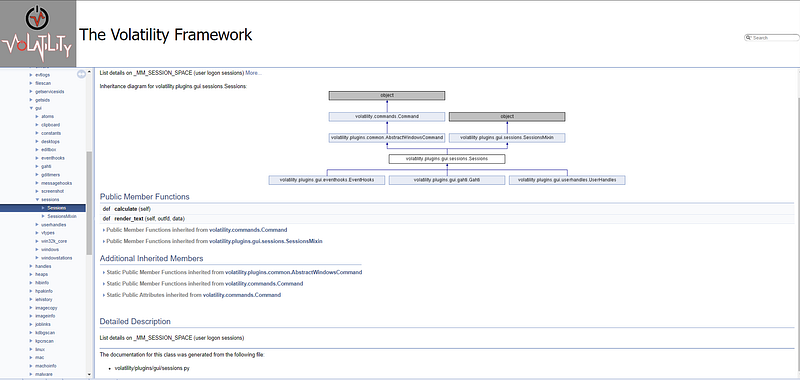
Here is the command we used:
python3 volatility3/vol.py -f ./dump.mem windows.sessions
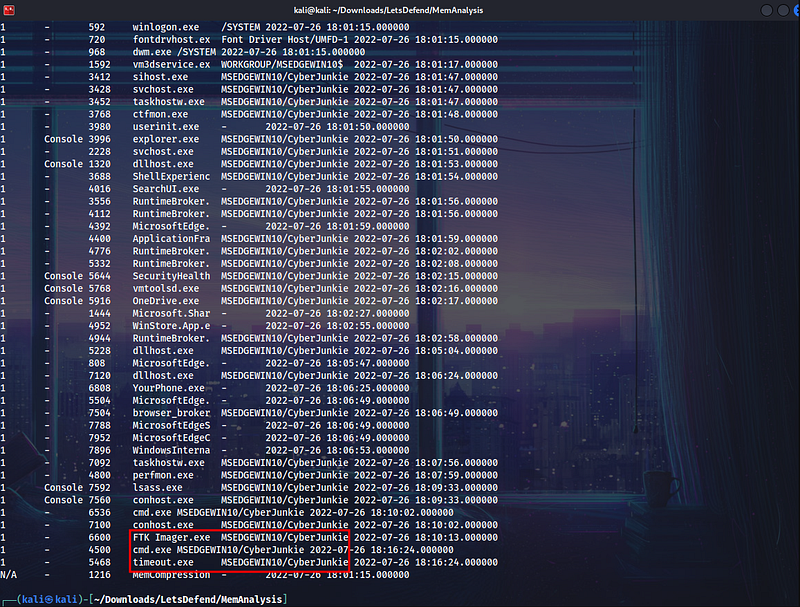
5. What is the compromised user password?
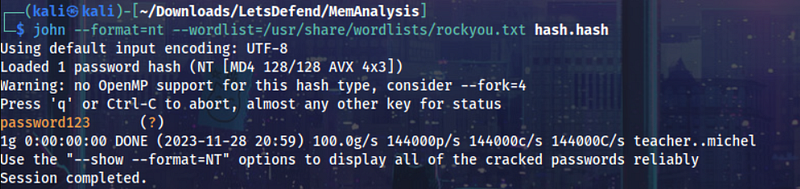
Simple enough, the windows.hashdumpplugin allows us to extract (LM/NTLM) password hashes from the memory image.
python3 volatility3/vol.py -f ./dump.mem windows.hashdump

Crack this password hash using JohnTheRipper reveals that the password is password123. Great password, super secure(jk).
Thank you for reading! Stay curious.