
In this article, I use Exiftool, XXD, VirusTotal and some other resources in order to aid in an content identification and metadata extraction. We are tasked with detecting and analyzing a malicious file, extracting metadata, and ultimately collecting as many artifacts we can. The malicious XLS file belongs to a blue team focused challenge on the LetsDefend website, titled “Remote Working”.
Disclaimer
I encourage individuals to try the challenge first on their own before consulting the write-up. This approach promotes independent problem-solving and allows for a more genuine learning experience.
1. What is the date the file was created?
ExifTool can be used on Microsoft Suite files in order to extract their metadata including permissions, file size, creation date, application used, etc…albeit a bit redundant considering VirusTotal provides meta data in addition to detections, behavior and additional details.
exiftool ORDER\ SHEET\ \&\ SPEC.xlsm
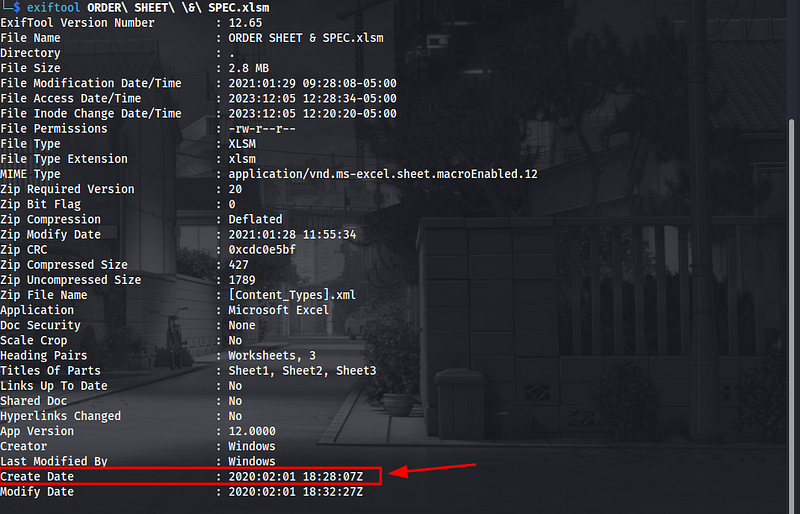
There are other reliable ways of doing some content identification besides executing the file command on the target file, below we confirm that the associated file is a Microsoft Excel file.
file ORDER\ SHEET\ \&\ SPEC.xlsm

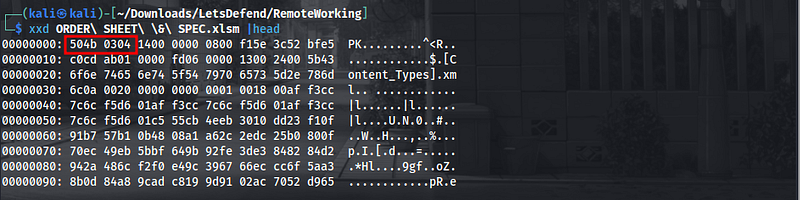
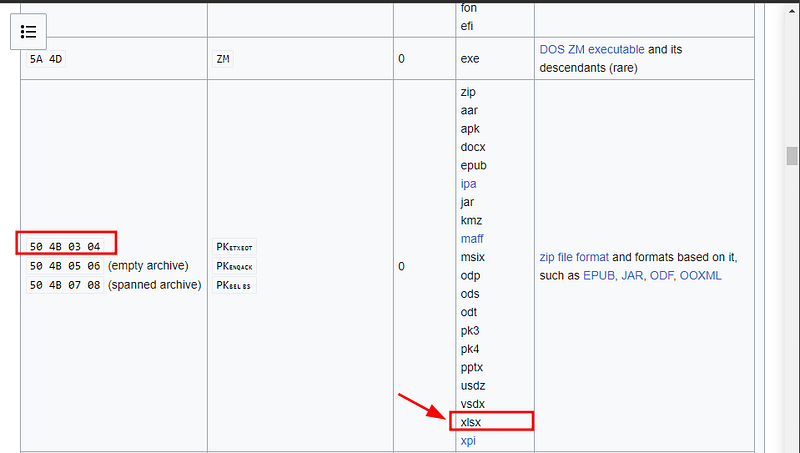
One method of doing so is by honing in on magic numbers which is a hexadecimal value embedded in the file header…each file type is represented by a different magic byte. In the image below, I use a HEX Viewer (xxd) in order to view the hexadecimal representation of the data. We see that the magic bytes for this xls file is `504B 0304`, confirming that it was indeed an Excel File.
xxd ORDER\ SHEET\ \&\ SPEC.xlsm |head
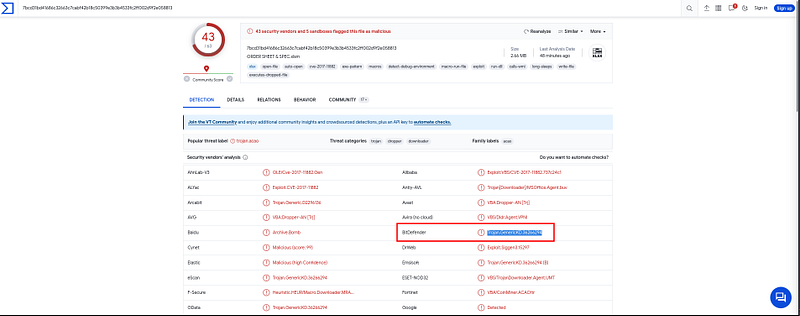
2. With what name is the file detected by Bitdefender antivirus?
Under the Detection tab we see the plethora of security vendors who have marked the associated file as malicious, some including McAfee, Fortinet, Sophos and Bitdefender. Bitdefender marks this file as Trojan.GenericKD.36266294which answers our question.
3. How many files are dropped on the disk?
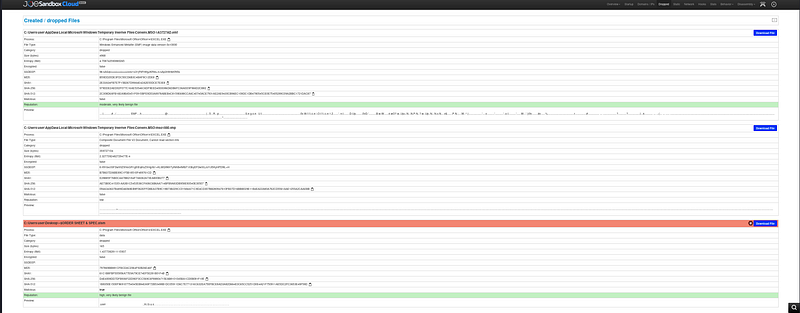
Under the Created/Dropped Files tab, joesandbox reveals that there are three files dropped onto the disk.
4. What is the sha-256 hash of the file with emf extension it drops?
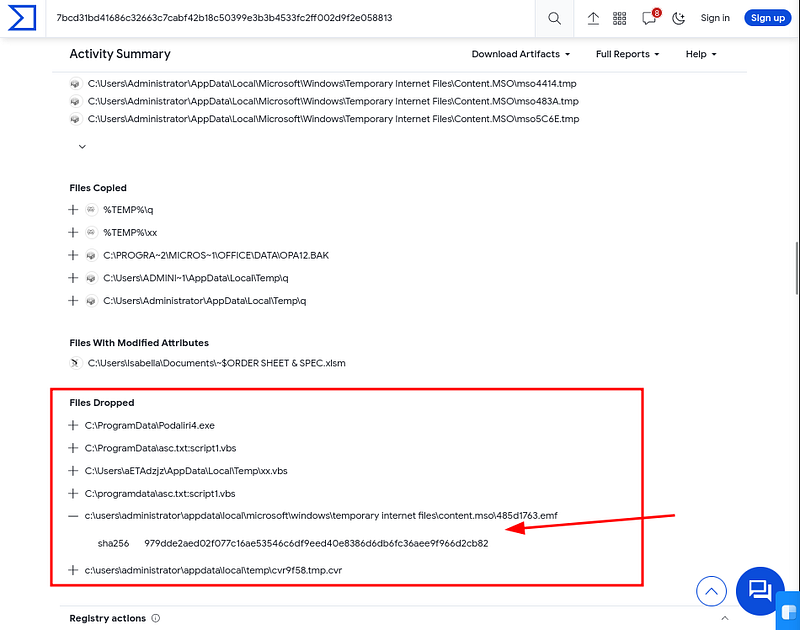
Under the Behaviortab in VirusTotal there is a Files Dropped header which provides information about files that are dropped or created by an executable or process during its execution. If we expand the dropdown we saw the SHA256 hash for the 485d1763.emffile.
5. What is the exact url to which the relevant file goes to download spyware?
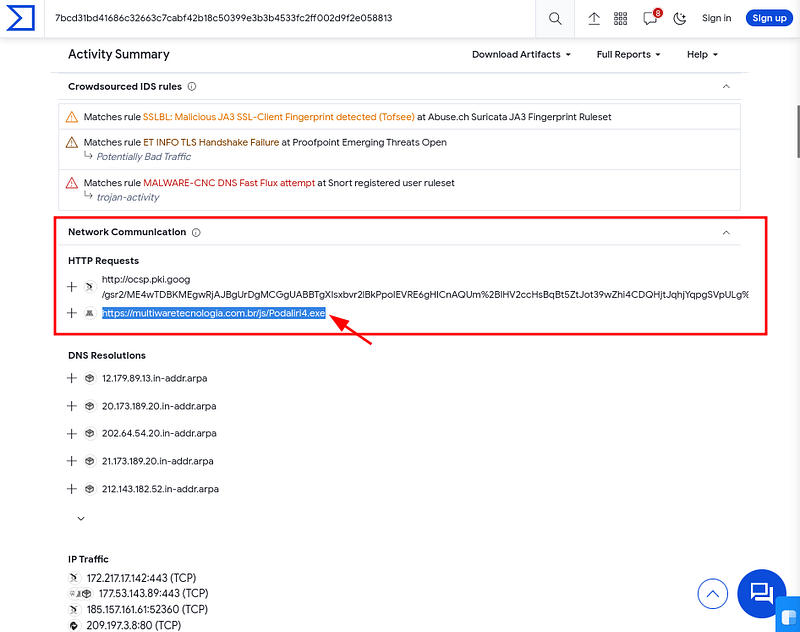
Under the Behaviortab in VirusTotal there is a Network Communication header which provides information about the network activity associated with the analysis of a submitted file. We see HTTP Requests including the URL [https://multiware](https://multiware)tecnologia.com.br/js/Podaliri4.exe in addition to the name of the executable: Podaliri4.exe.
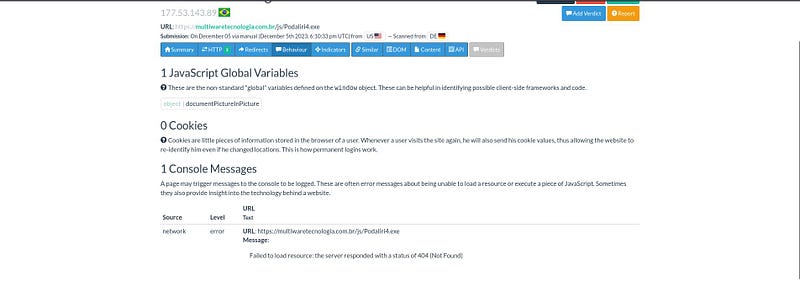
Let’s verify if the file can still be accessed, we ended the challenge by checking if the URL was still in use, after scanning with urlscan[.]io we are informed of a HTTP 404 response concluding that the content(malware) hosted is gone.
Thank you for reading! Stay curious.