background
on Oct 22, 2024 I posted "digital forensics seems kind of fun" on X. do you think I knew I would continue expanding my skill sets in DFIR? absolutely not lol. I vividly remember that during this time, I was exploring different blue team certifications, resources, and training platforms solely with one goal in mind. be better than everyone else. I have to admit that this mindset sourced from the Blue Lock anime where everyone playing within this "Blue Lock" system is striving to be the best striker regardless of where on the field they are. I imagined gaining the skills other blue teamers had as a step closer to being the best striker on this hypothetical field. this desire for immersion and technical skills landed me on HTB Sherlocks and CyberDefenders labs. these labs were not only formative but also really gave me an idea of the skill sets i hadn't acquired yet. it started simple at first with using zimmerman and nirsoft tools in order to parse USNJournal or the $MFT. looking at cryptneturlcache, $I30, prefetch, registry keys, amcache, shellbags, browser history, jumplists, lnk files, BAM, recycle bin, thumbcache, PCA, SRUM, windows events, etc etc. each new artifact an additional puzzle piece. using tools like ftk imager, autopsy, hayabusa, chainsaw, volotility, peepdf, binary ninja, aleapp, jadx, mobsf, ghidra, unifiedlogparser, apimonitor, floss, goresym, dnSpy, wireshark, pebear, exeinfo, regshot, all used to help interpret this data. it did not matter to me whether the category was based on android, networking, windows, macOS, linux, malware. I approached each with an insatiable desire to get better and learn more, to catch up to those around me. yeah that may seem corny but I was genuinely elated to consume everything. naturally, 13Cubed became part of the feast too.
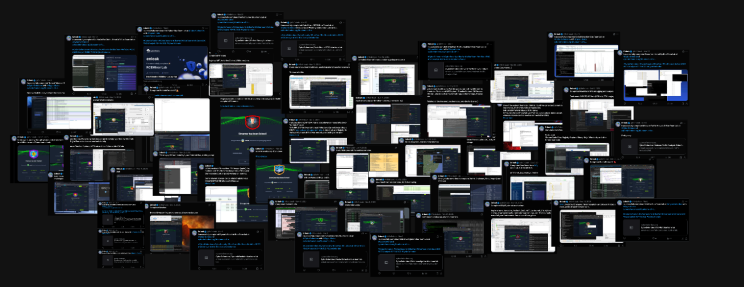 some of the HTB Sherlocks and CyberDefenders rooms i've posted about
how I accidentally ended up here
who doesn't appreciate some novelty? and who am I to deny a new challenge? 13Cubed quickly became a name I and other friends grew to know and love. Richard Davis has a bunch of videos where he not only teaches you how to extract and parse the artifacts but also how to interpret them, this was crucial. and at this point, I knew I wanted to take all of his courses. so when my company offered to buy me the investigating windows endpoints and investigating windows memory courses recently, I didn't hesitate AT ALL. thanks Miguel Freitas! now, I won't be detailing those certifications because there's already so many opinions and great blogs out there speaking highly of its contents and exam. they are worth every penny, trust me. with that being said, I worked through both courses and passed both exams, earning the Gold badge. hmmmm, but now what? where to next? how do I become better? whats funny is that I initially had no interest in macOS forensics, at this point I was deep diving into windows kernel process management and file carving. going over _eprocess blocks, peb, vad tree, flinks and blinks, pool tag scanning, TRIM, wear leveling, slack space, and other deeper topics. but like every character in an anime, there's always a characteristic that nerfs him. now, I'm not sure whether this trait enhances or nerfs my character but once my attention locks onto to something, I go after it. I noticed that macOS was seldom talked about and that my only experience with macOS dfir was within labs on other platforms. so uhhh I went after it and got access to the macOS course. tbh, I didn't think about it much, I just want to learn. no deeper reason. the 0% progress bar is staring at me now.
the part you actually care about
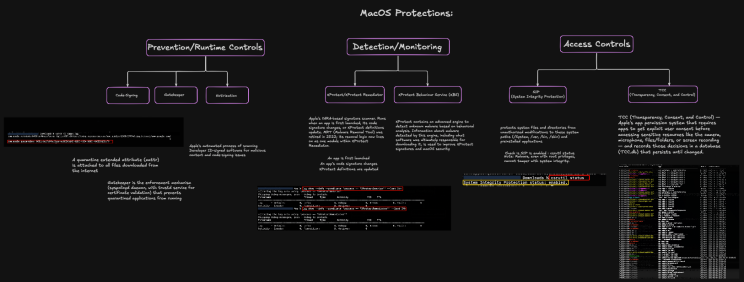
the course opens with macOS history and root directory structure, foundational stuff. if you've spent any time in windows forensics the directory layout feels foreign at first. no C:\Users, no C:\Windows\System32. instead you've got /Users, /System, /Library, /private/var. nothing strange if you have any linux experience. SIP hit early and it hit clean. System Integrity Protection, blocks modification of protected system paths even by root, even with sudo. cd into a protected directory, run ls. refused. sudo ls. still refused. I remember sitting there genuinely amused that root can't do anything about it. coming from windows where enough privilege escalation eventually gets you everywhere, this felt like a start contrast. i wont be going over all the items in this "introduction to macOS" section, but TCC followed, then Gatekeeper, XProtect, XProtect Remediator, FileVault, etc. this section inspired me to create a "macOS protections" visual in exalidraw to better understand it's defense in depth. evidently, i spent longer on this section than I needed to but again, my strategy is never to rush a course, in order to actually learn, you need immersion. my way of immersing myself was by reading blogs and visualizing everything. i know i know, whats a good resource you used to read about all of this? start here: https://eclecticlight.co/2017/12/11/an-introduction-to-extended-attributes-xattrs/. my favorite part was learning about extended attributes actually. let me summarize quickly. every file has metadata you can't see in Finder and not hidden in the sense of a dotfile, hidden in the sense that it's riding alongside the file in the filesystem and nobody told you it was there. xattr -l dumps it. pretty simple. i ran it on a png in my downloads folder. a dumb meme, coach dapping someone up, downloaded from Google Images LOL.

com.apple.metadata:kMDItemWhereFroms: bplist00�_
https://media.tenor.com/UCNJNmOEjMIAAAAe/coach-dap-me-up.png
https://www.google.com/

com.apple.quarantine: 0081;6a468278;Chrome;765EE0D8-6658-473E-99A0-9515A6178388
two attributes were observed. the first one, kMDItemWhereFroms, is a bplist array with two URLs, the direct download URL and the referring page. tenor CDN, then Google. it reminded me of an ad stream. except this isn't a tracke. Chrome stamped this onto the file at download time. the second one, com.apple.quarantine, i didn't know what it meant when i first saw it. four semicolon delimited fields: 0081 is the flags in hex, quarantined, came from the internet. 6a468278 is a hex timestamp. Chrome is the agent that wrote it. and that last string, the UUID, is a receipt number, a key into a SQLite database at ~/Library/Preferences/com.apple.LaunchServices.QuarantineEventsV2 that holds the full download record. you can find all this info from the resource above.
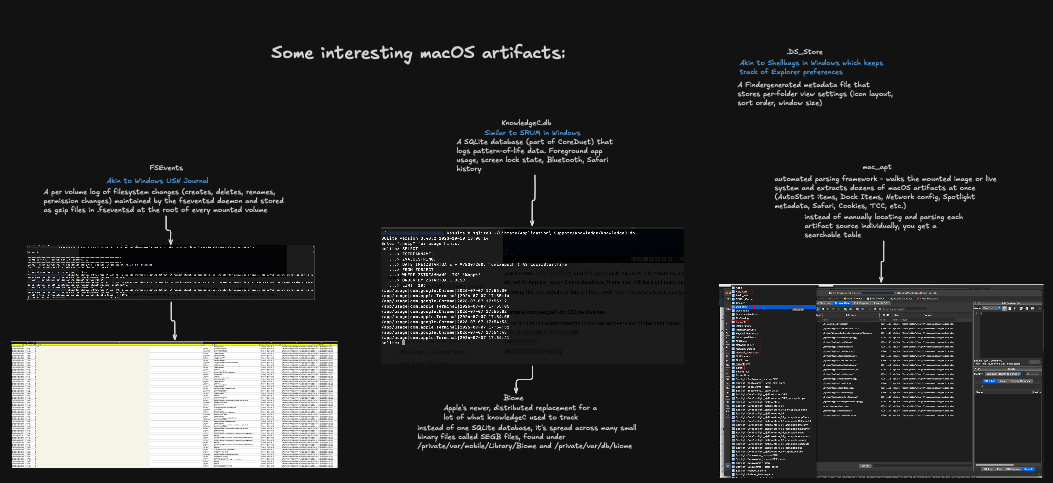
then the unified logs section, which is 12 lessons, more than any other module, and rightfully so. what surprised me was how accessible it was. what I got was a structured, filterable system where knowing the right subsystem predicate basically hands you exactly what you're looking for. log show --predicate 'subsystem == "com.apple.loginwindow"' and you've got every sign in event. the course spends real time on authentication and security events, gatekeeper and TCC activity, network and Wi-Fi, bluetooth, each one a different lens on what the machine was doing and when. then we go over the macOS file system and how it's changed from inception to modern day. now, my favorite favorite section. the core forensic artifacts module is where the windows muscle memory helps. FSEvents, per volume log of filesystem changes, same idea as the USN Journal. KnowledgeC, pattern of life data, foreground app usage, screen lock state, same idea as SRUM .DS_Store is Shellbags, finder generated metadata that records what was in a folder when Finder last looked, useful long after the files are gone. Biome, Trash, etc etc. There's so many artifacts to look at and all made easier by using mac_apt which you learn how to use for an investigation.
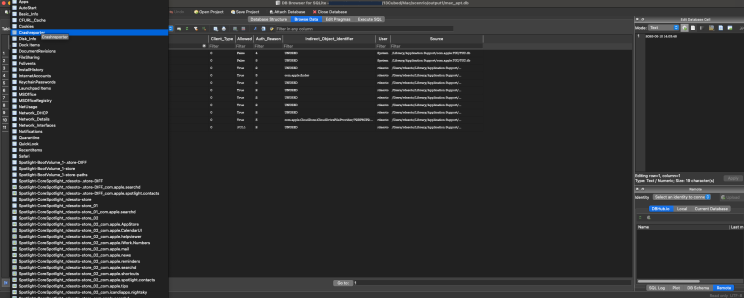 mac_apt output
then we promptly move onto persistence mechanisms. Launch Daemons and Launch Agents are where malware lives to survive a reboot, plist files defining what runs, when, as which user, loaded by launchd. the module covers privileged helper tools, cron jobs, login items, system extensions, SSH keys, etc. again, this inspired me to visualize what I was learning. i was having tons of fun making these at the local cafe.
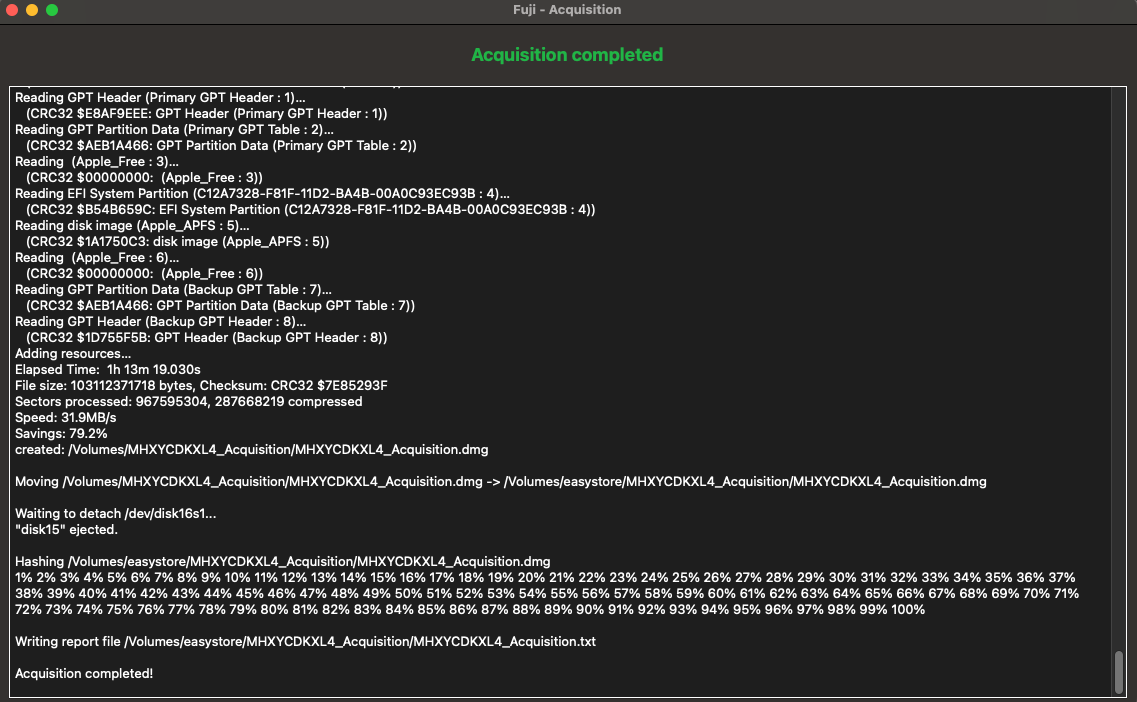
right after persistence, i felt the end of the course approaching and excitement was an understatement. I wanted to use my newly developed skill and understanding against an actual disk image. BUT FIRST. I had to go through the evidence collection and timelining section where you cover Fuji, UAC, unified Logs, acquiring memory, plaso, mactime, log2timeline, etc etc. it was the first time running fuji. funny story, i didn't have enough disk space on my mac in order to save the .dmg file so i had to drive to best buy before they closed and grab a 2TB external drive in order to save the output. and to be honest, this tool took forever lol. but i thought it was funny that i was doing all of this to test out the tool when i could of easily skipped this part. again, immersion.
is it over yet?
the course ends with a compromised system scenario where you get a full image and have to figure out what happened. no guidance on which artifact to pull first. you have mac_apt parsing everything into searchable tables, you have the artifacts, and now it's up to you to look and piece a timeline together. that's the moment everything either holds or it doesn't. for me it held, opening the mac_apt output into DB Browser and building a timeline of what happened while listening to breakcore is absolute cinema. and when mac_apt couldn't get me the answer, I switched to unified logs for some heavy lifting. in all honestly, the course made me extremely confident at looking for activity within macOS. so much so that once i passed the exam, i told my director, and he didn't hesitate to ask for some of the things I learned in the course. amazing feeling. there is some additional content at the end for more practice as well. but why don't we talk about the exam a bit? like all 13Cubed courses, they end with the knowledge assessment. some multiple choice questions to test how well you remember what certain artifacts capture and the methodology but most of the assessment being a hands on section where Richard provides a disk image for you to examine. iirc, I spent roughly 4-5 hours on the exam. pacing back and forth, listening to music, reading blogs, all while the exam was running, every question answered a product of what I had put so much time into learning.
final thoughts
I didn't know what to expect with this course, especially coming from a heavy windows background. but Richard ALWAYS does an amazing job at introducing you to the OS, its file structure and ultimately all the important artifacts that aid in a forensic examination. I highly recommend for teams with a great number of macOS endpoints to consider this course, not many people talk about macOS forensics, let's switch it up a bit. Thank you Richard for being so quick to answer messages as well.