I have been digging into initial-access and payload-delivery techniques on macOS. To make DMG delivery less abstract, I built a harmless application, packaged it inside a disk image, and followed it from its bundle structure through execution. The application had one observable behavior: write Subscribe to DE&TH DIARIES to a text file on the Desktop.
Inside the application bundle
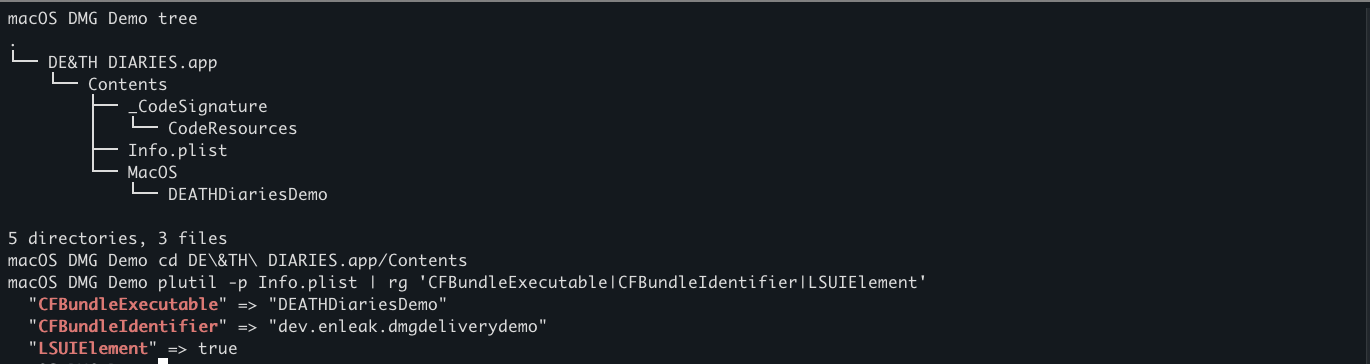
A macOS .app is a directory that Finder presents as a single application. Its Contents/Info.plist stores configuration data, while executable code normally lives under Contents/MacOS.
In this bundle, CFBundleExecutable points macOS to DEATHDiariesDemo. The bundle identifier names the application, and LSUIElement marks it as an agent application that does not appear in the Dock. The executable itself creates no window.
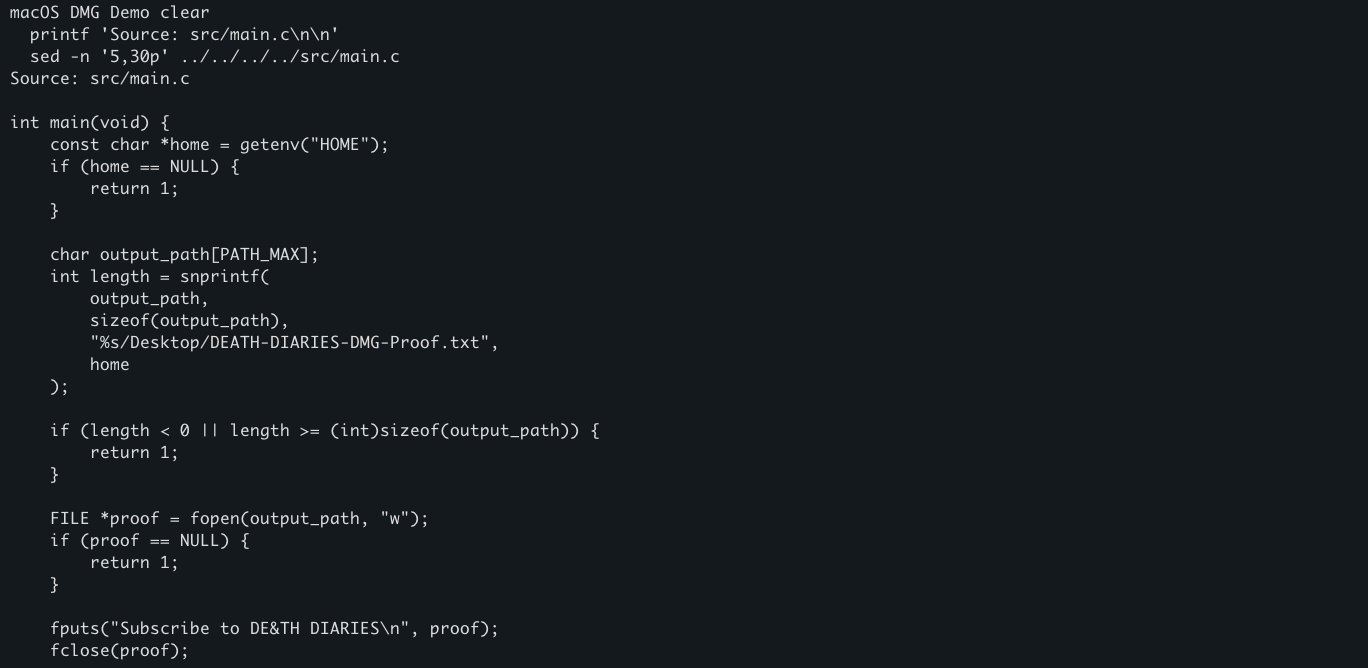
The readable C source was kept outside the bundle and compiled into an ARM64 Mach-O executable. The small routine builds a path under the current user's Desktop, opens the proof file, writes the message, and exits.
Packaging the disk image
I placed the application and an Applications shortcut in a staging directory, then converted that directory into a compressed disk image:
hdiutil create \
  -volname 'DE&TH DIARIES' \
  -srcfolder staging \
  -ov \
  -format UDZO \
  output/DEATH-DIARIES-Demo.dmg
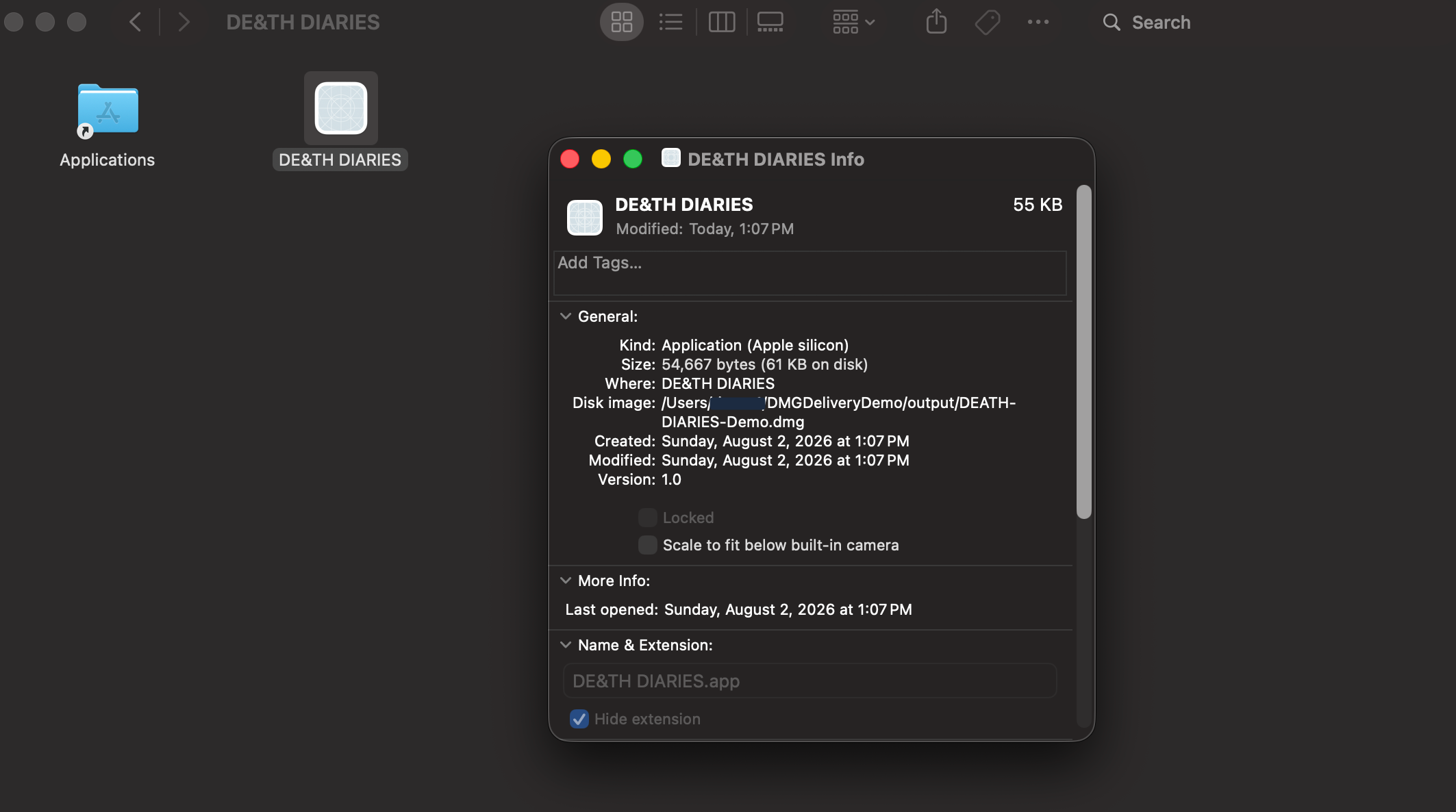
Opening the resulting .dmg attached and mounted its filesystem so Finder could display the contents. At this point the application was available, but it had not been executed merely because the disk image was mounted.
Proving execution
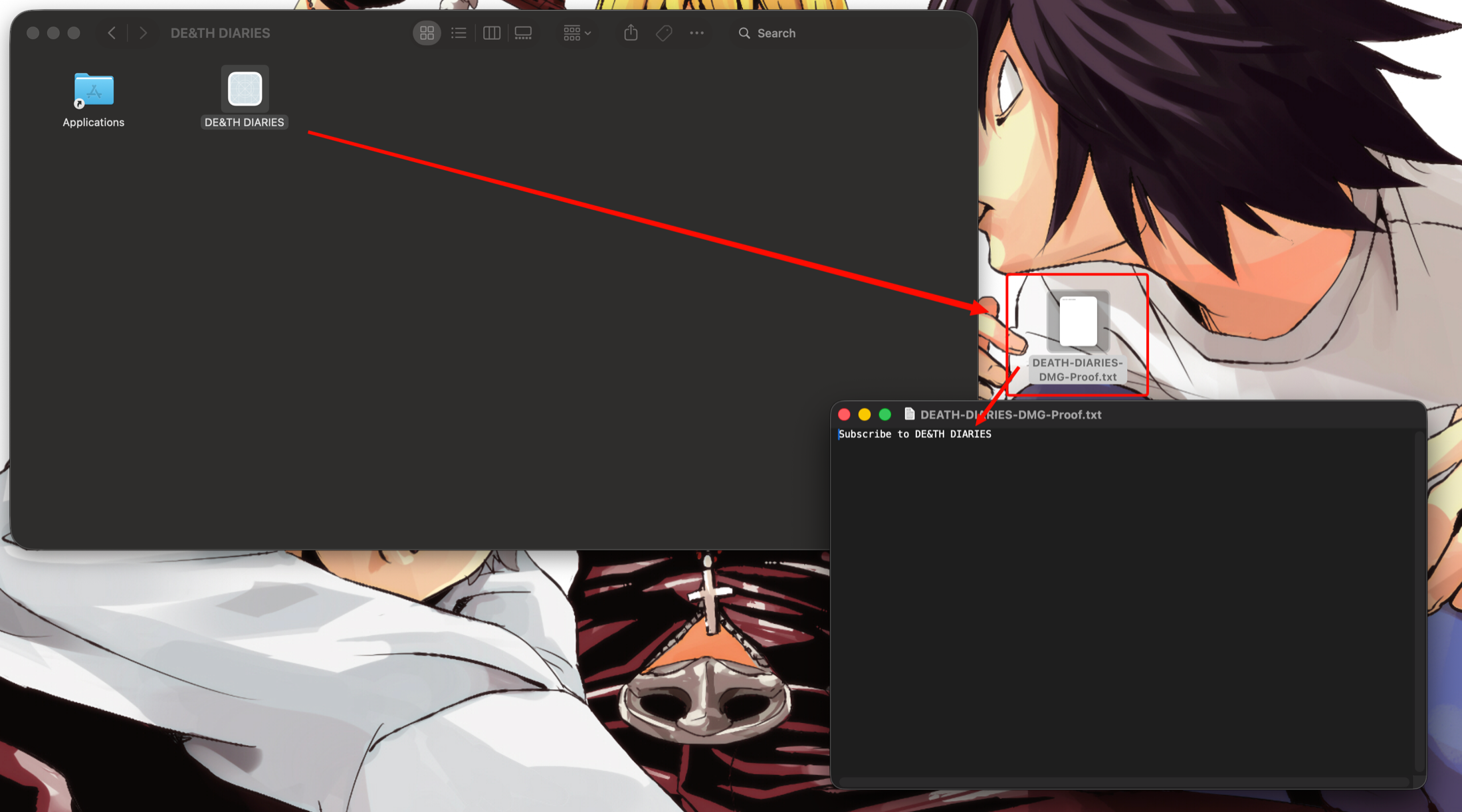
I opened the application from the mounted volume. macOS resolved CFBundleExecutable, launched the Mach-O file under Contents/MacOS, and the program created DEATH-DIARIES-DMG-Proof.txt on the Desktop. Opening that file confirmed the expected message was written.
Software distributed outside the App Store should use an appropriate Developer ID signature and Apple's notarization workflow. A DMG is a delivery container; it does not provide a security bypass, persistence, or elevated privileges by itself.
The takeaway
The disk image packages and presents the application. The app bundle tells macOS which executable to launch, and that executable determines what happens after the user opens it. Following each layer separately made the delivery chain much easier to understand:
DMG opened → volume mounted → app opened → executable resolved → proof file written
Sources and further reading
- macOS Red Team Operations — White Knight Labs
- About Bundles — Apple Developer
- CFBundleExecutable — Apple Developer
- See the contents of a disk image on Mac — Apple Support
- Notarizing macOS software before distribution — Apple Developer