
Update:
The investigation of the generated Phishing email created with GoPhish was not exciting enough so we are continuing our investigation with an email and attachment provided by LetsDefend.
Challenge Scenario
You recently received an email from someone trying to impersonate a company, your job is to analyze the email to see if it is suspicious.
Phase 1:
In order to begin our investigation let’s open the BusinessEmail.emlfile in thunderbird. Thunderbird is a free email client software, you can use any application you’d like.
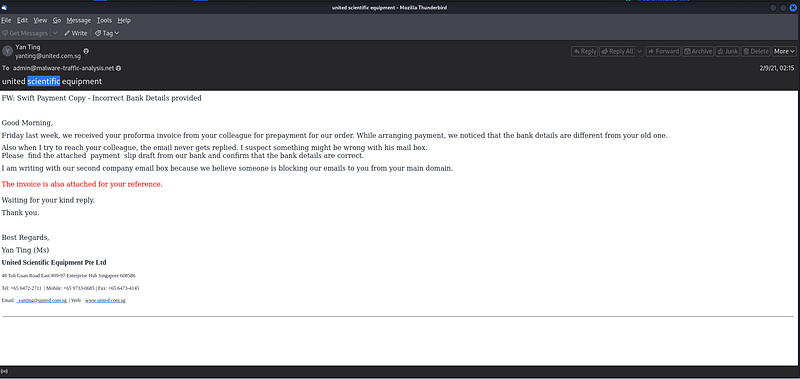
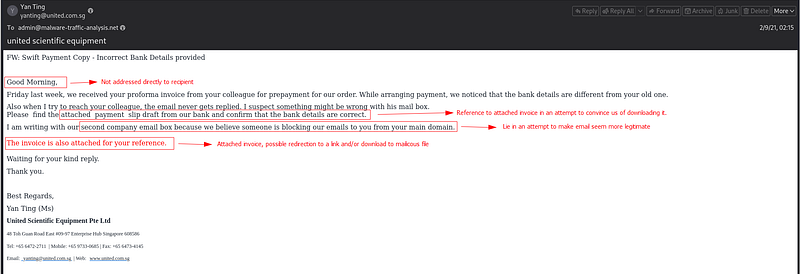
After opening the email, I observed several factors that have the potential to be indicators of a phishing attempt, albeit they may not be sufficient on their own to definitively confirm it. Below I have annotated the email with some of these indicators:
Phase 2:
Now that we have reasonable suspicion to believe that this may be a phishing attempt, lets download and open the email so we can inspect it’s header contents.
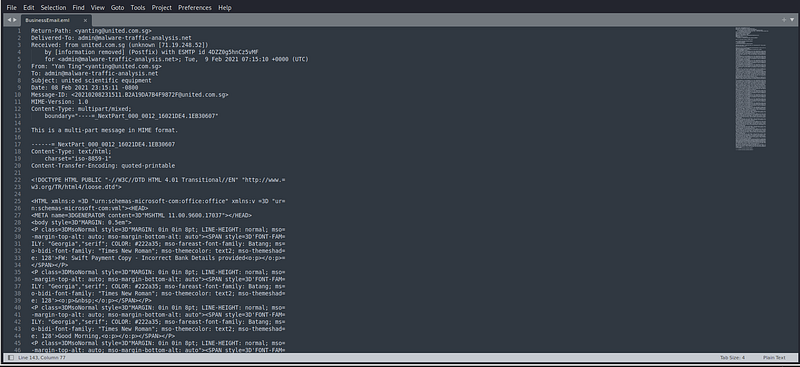
Key information provided in the email header:
Return-Path:
The email is claiming to be sent from
yanting@united.com.sg.
Delivered-To:
The email is delivered to
admin@malware-traffic-analysis.net.
Received:
The email was received from IP address
71.19.248.52.
From:
The sender claims to be “Yan Ting” with the email address
yanting@united.com.sg.
To:
The recipient is
admin@malware-traffic-analysis.net.
Subject:
The subject of the email is “united scientific equipment.”
Date:
The email was sent on 08 Feb 2021 at 23:15:11 UTC.
Analysis:
The email appears to be discussing a payment issue related to a proforma invoice, mentioning different bank details and a suspicion of an issue with the colleagues email box. The sender claims to use a second company email because they believe the main domain is blocking emails, an invoice is also attached for reference. This email claims to be from a legitimate company, United Scientific Equipment Pte Ltd, but the authenticity of the sender’s identity cannot be verified solely based on the email header. Mention of a payment issue and the attachment could be an attempt to trick the recipient into opening a malicious file or clicking on a link. Let’s inspect the malicious attachment and IP in an attempt to conclude whether it’s malicious or not.
Phase 3:
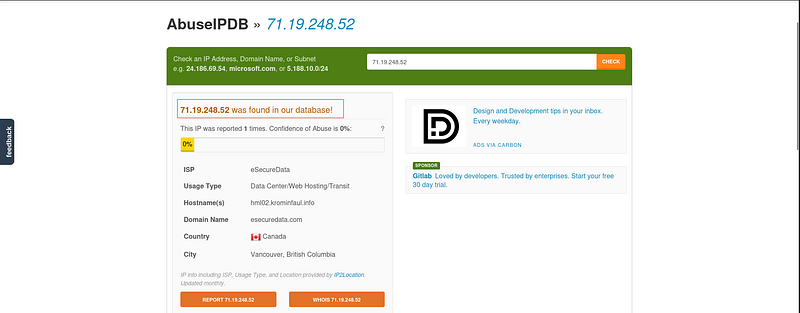
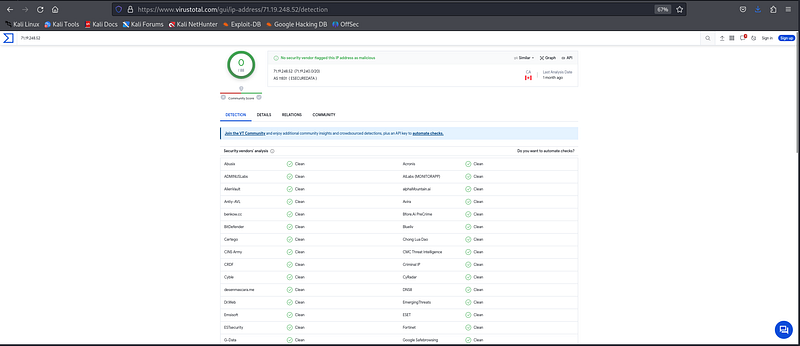
Let’s check whether this IP address appears in any abuse reports. Let’s paste the IP of 71.19.248.52on AbuseIPDB:
Analysis:
AbuseIPDB received a report regarding IP address 71.19.248.52, which was linked to the Canadian ISP eSecureData, located in Vancouver, British Columbia. The domain name is esecuredata.com, and the corresponding hostname is hml02.krominfaul.info. In contrast, VirusTotal does not flag this IP address at all. IP information provides insights into the origin of the email, the true nature of its content and any associated risks can only be determined by inspecting the email attachment and its contents so let’s hop into phase 4!
Phase 4:
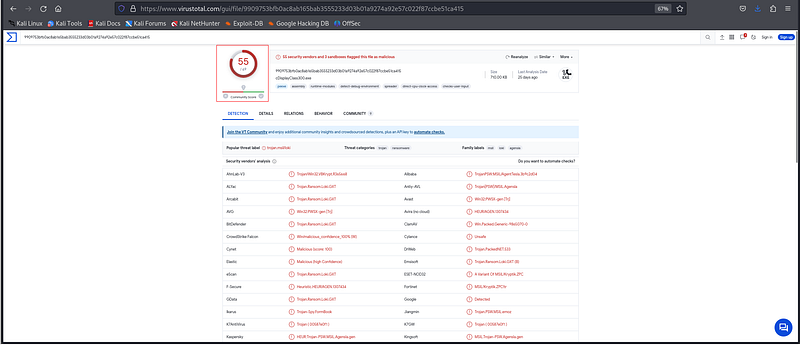
Now let’s input and analyze the united scientific equipent.exefile into VirusTotal and note down any additional insight. At first glance we see that it has been flagged by 55/69 vendors and 3 sandboxes to be malicious.
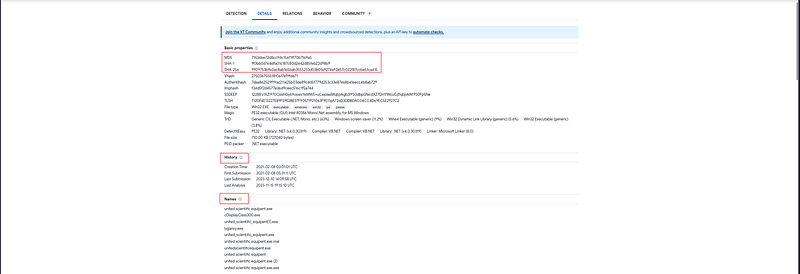
Under the Detailstab we are provided with the following artifacts:
MD5 Hash:
71536be72d8cc9dc156f1ff70b7f69a5
Sha-256 Hash:
9909753bfb0ac8ab165bab3555233d03b01a9274a92e57c022f87ccbe51ca415
File Type:
Win32 EXE
File Size:
710.00 KB (727040 bytes)
Creation Time:
2021–02–08 03:01:01 UTC
Under the Communitytab we see VMRays Verdict and Analysis Report:
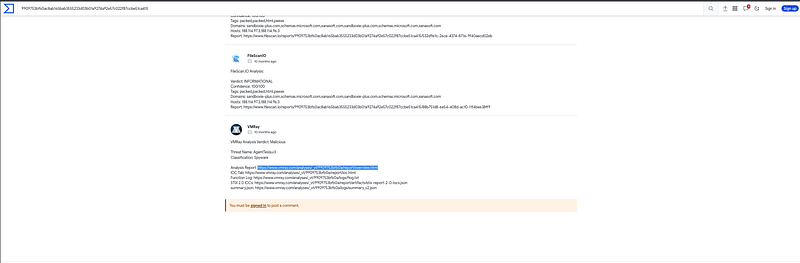
Following the link redirects us to https://www.vmray.com/analyses/\_vt/9909753bfb0a/report/overview\[.\]html.
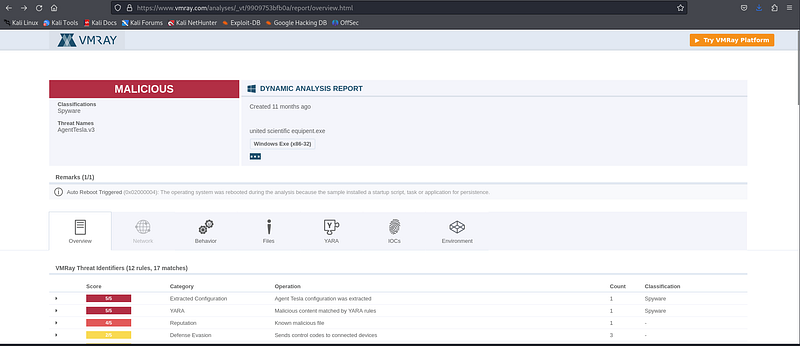
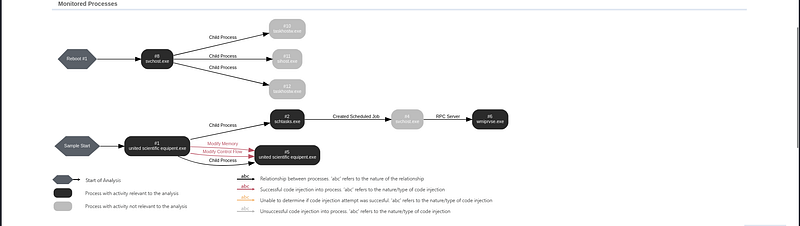
In this analysis report we can see the Monitored Processes, Dropped Files, IOC’s and general Overview.
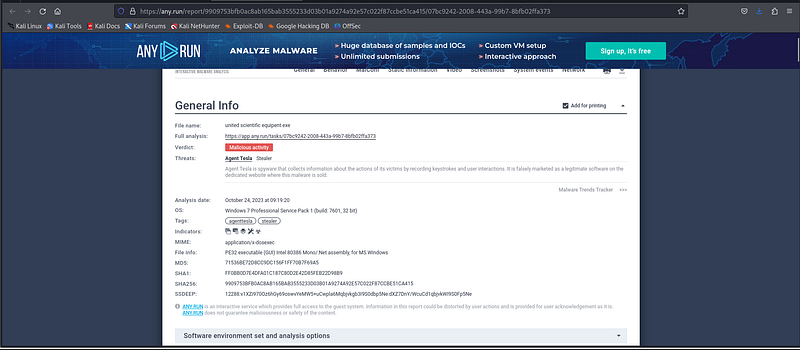
We can also utilize AnyRun in order to gather more information on this malware, you can access the report at https://any\[.\]run/report/9909753bfb0ac8ab165bab3555233d03b01a9274a92e57c022f87ccbe51ca415/07bc9242-2008-443a-99b7-8bfb02ffa373.
Phase 5:
Ermmm that’s all for today folks, thank you for reading. More blogs to come soon.