This post walks through my hands on analysis of Free YouTube Downloader.exe, a packed dropper that uses social engineering to get users to call fake tech support, open a fake support page, and hands remote access so they can ultimately “fix” the Windows Activation pop up that spawn every 2 minute for payment. Again, these blogs are just a way for me to document what I'm learning and upskilling on.
Please point out anything I missed!!!!
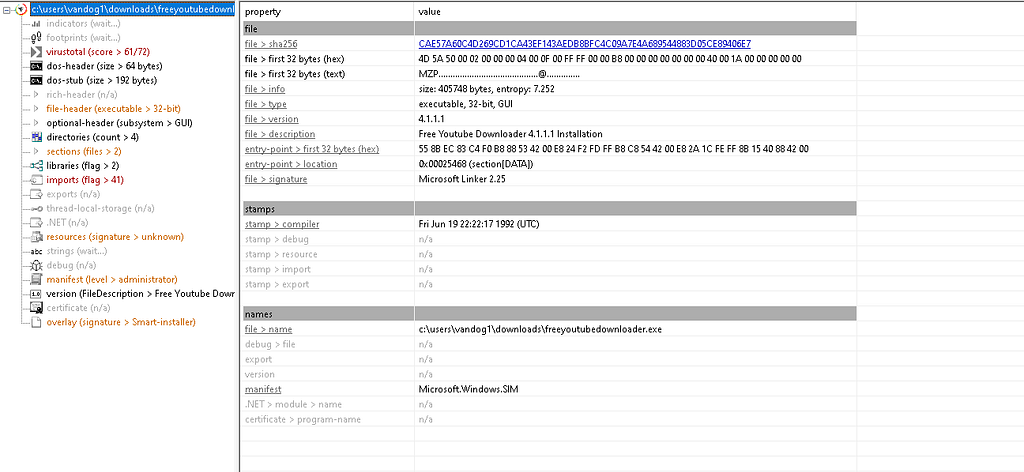
File Metadata
SHA256: cae57a60c4d269cd1ca43ef143aedb8bfc4c09a7e4a689544883d05ce89406e7
File Description: Free Youtube Downloader 4.1.1.1 Installation
File Version: 4.1.1.1
File Type:  PE32 Executable
Static Analysis: PE-Bear and 010 Editor
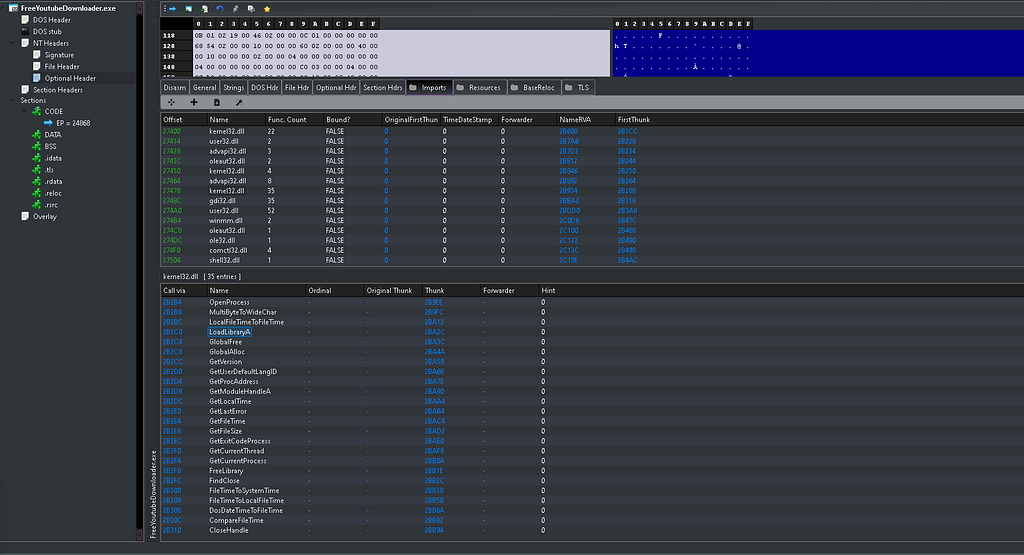
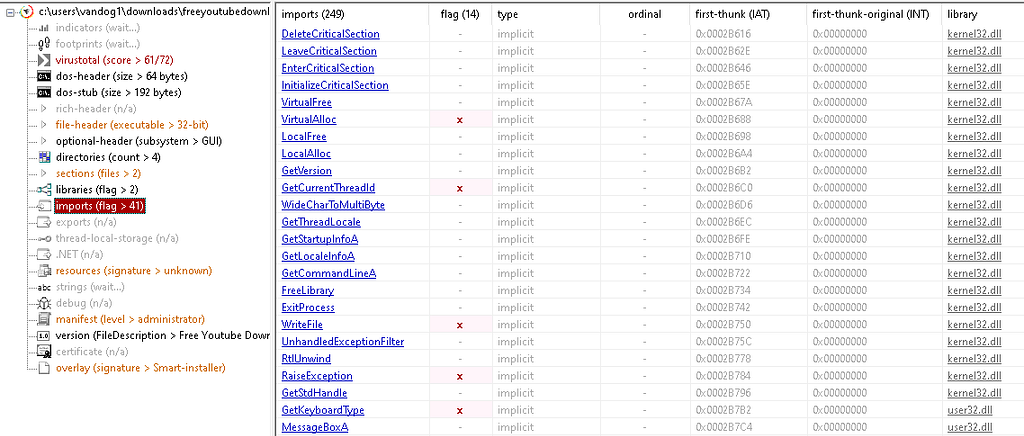
Using PE bear, the top pane under Imports lists the DLLs the executable imports, the bottom pane shows the functions imported from the selected DLL (kernel32 in this case). These are static imports resolved by the loader. Absence of a function here doesn’t mean the binary won’t call it though, it may use LoadLibrary/GetProcAddress at runtime to hide calls(we dont see in this sample). We also note the 4D 5A hex value which is the magic number representing the “MZ executable format of the executable file format used for .EXE files in DOS.” With this, we now have a view of DLLs and some functions that are used:
kernel32.dll, user32.dll, shell32.dll
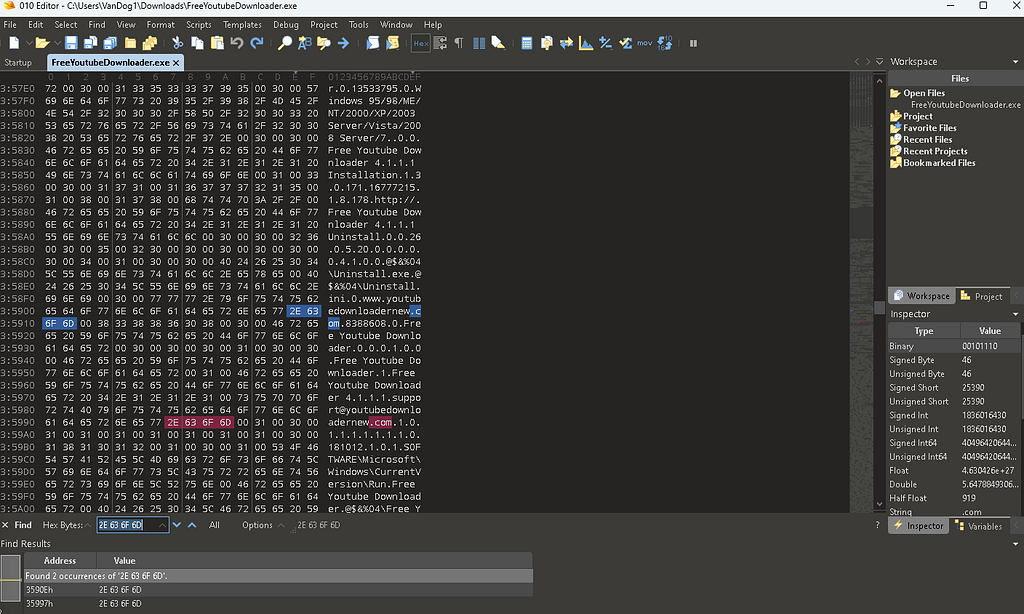
In 010 editor (or you can remain in PE-Bear tbh) we can observe some interesting artifacts including references to PE files, registry keys, emails, URLs, etc. Now, filtering for the hex values of 2E 63 6F 6D(translate to “.com” in ASCII), help us gather some really interesting artifacts:
www[.]youtubedownloadernew[.]com
support@youtubedownloadernew[.]com
We also manage to find:
SOFTWARE\Microsoft\Windows\CurrentVersion\Run
\Uninstall.exe
Free Youtube Downloader.lnk
\Free YouTube Downloader.exe
\Box.exe
Additional Static Analysis: Detect-It-Easy, FLOSS, ExeInfo and PSStudio
Exeinfo has a ripper function which scans for any www / http / ftp references found within the binary, as you can see, there’s a handful of tools you can integrate into your methodology in order to gain lots of insight. Exeinfo helped us find www[.]youtubedownloadernew[.]com as well. Let’s also use Detect it Easy (DiE for short), this tool will scan and apply signatures in order to help us determine things like packers (“Packers are utilities that package one or more files into a single executable, often adding compression. This process makes static and dynamic detection more difficult”). In our example, we see DiE note (Heur)Packer: Compressed or packed data[Strange overlay]in addition to high entropy which is a result of encrypted and compressed data noted by N4k0rs in Unpacking tips — N4k0r’s Blog. In this sample, we identified Delphi Smart Install Maker 5.04 installer. We have a packed dropper in our hands!
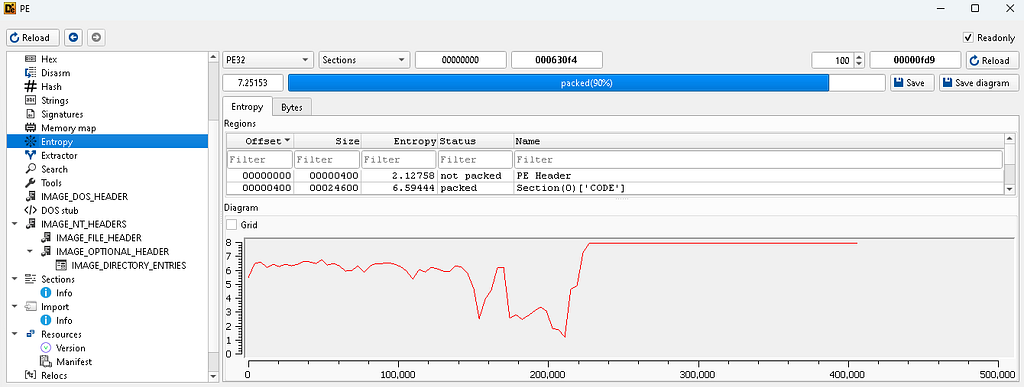
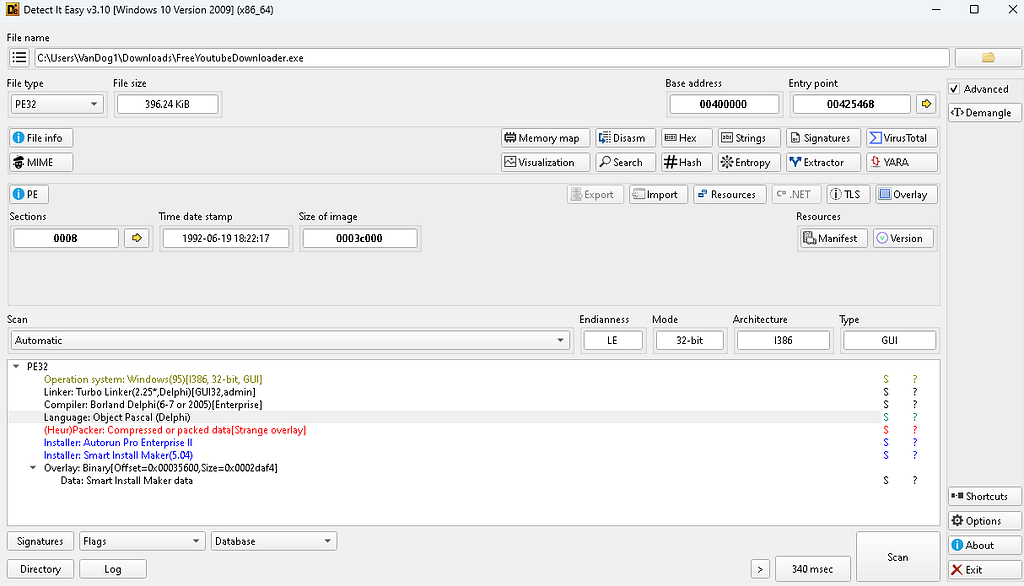 DiE output:
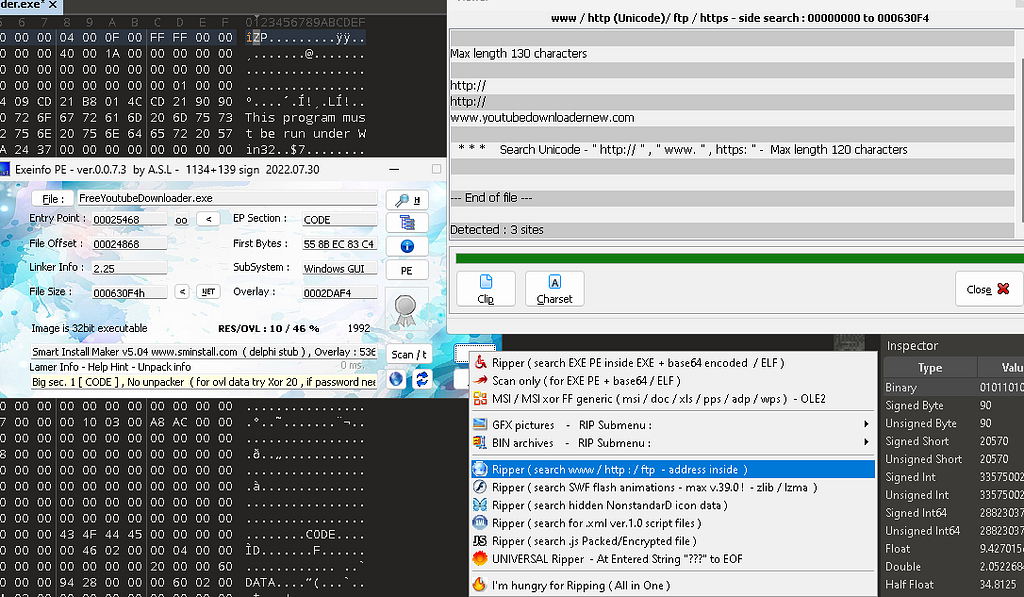 Exeinfo output:
Alongside DiE, FLOSS was used to recover the email, URLs, PE names, and registry paths discovered earlier in 010 Editor, nothing new, just another tool we can use for a similar use case. Some additional artifacts found:
SOFTWARE\Borland\Delphi\RTL
Smart Install Maker v. 5.04
Setup has finished installing Free Youtube Downloader on your computer
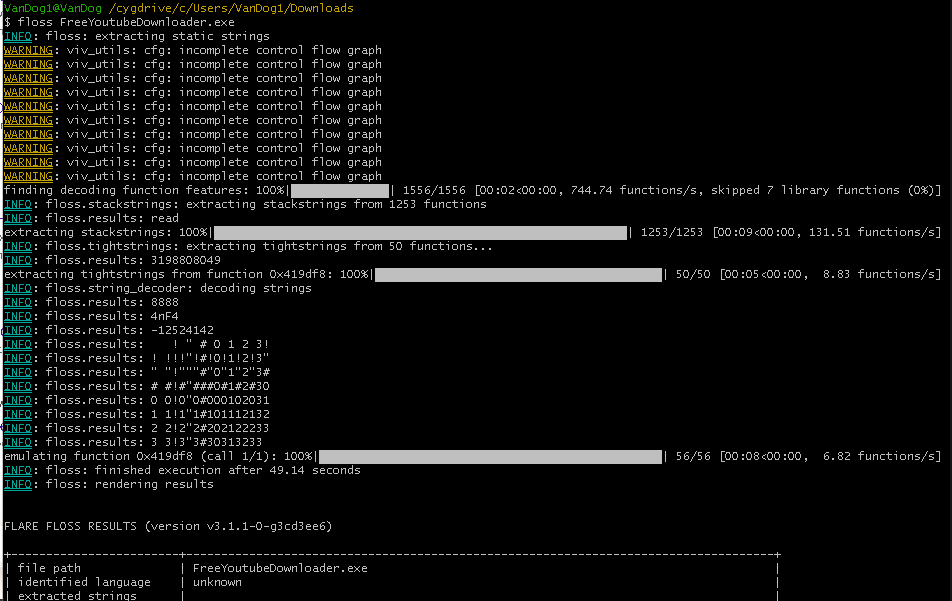
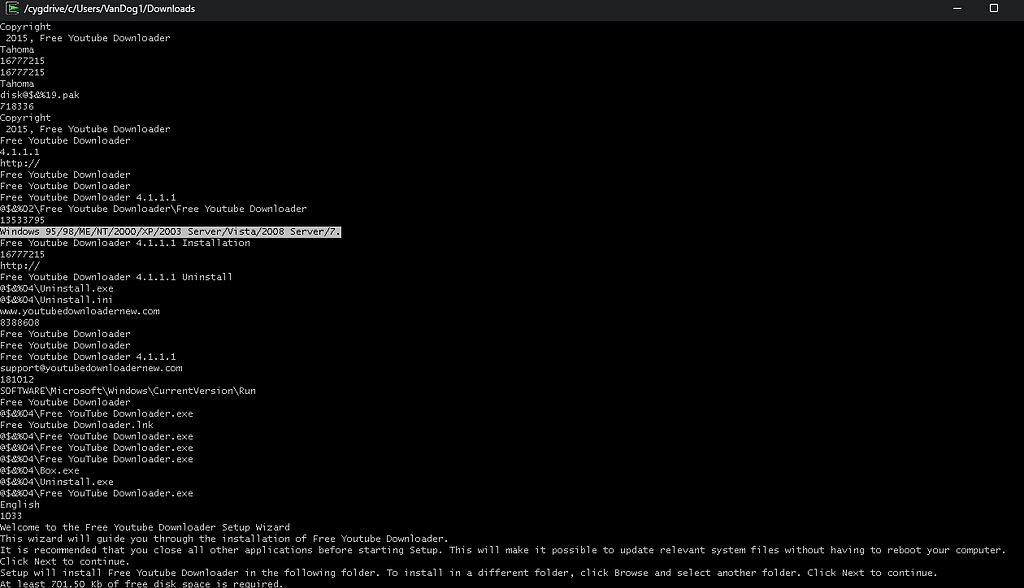 Floss output.
We also note some Windows API functions flagged by PEStudio:
WinExec
OpenProcessToken
GetTokenInformation
RegCreateKeyExA
RegSetValueExA
Regshot Analysis:
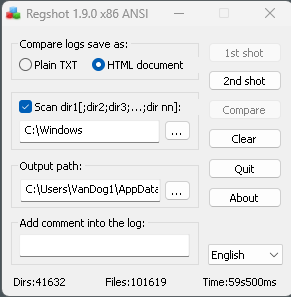
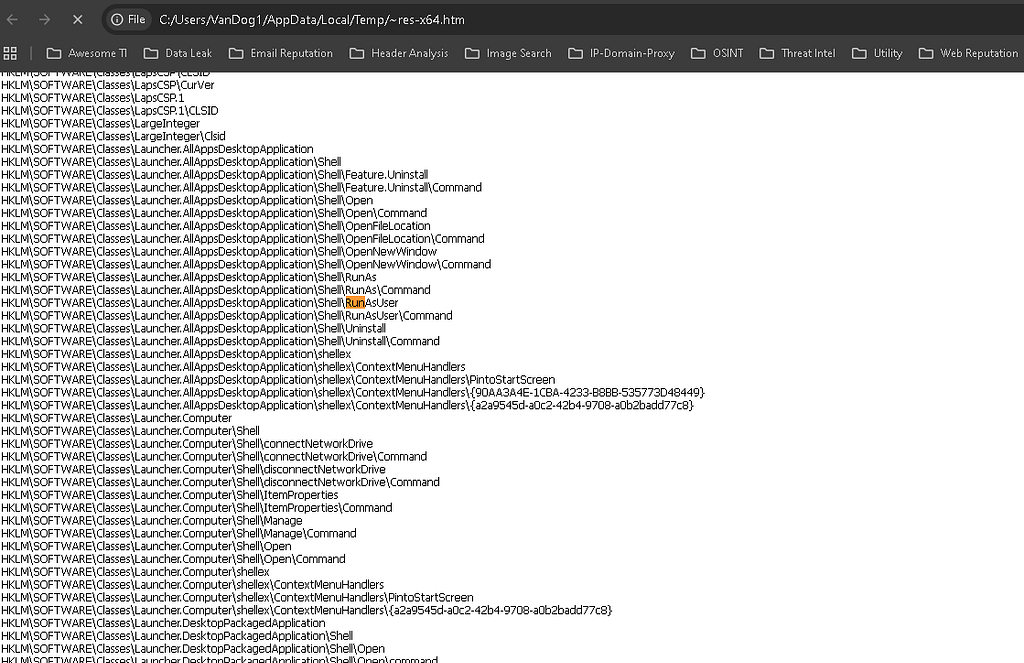
Regshot utility will track registry modifications(duh) that have taken place between the two snapshots, we also check the scan dir option in order to capture any modifications to any directories (i.e, file downlaods, etc). In the image to the right, we see the registry changes that have occurred between the shot taken before execution and after, the output is pretty verbose, so I won't be going over the differences.
Runtime Behavioral Analysis:

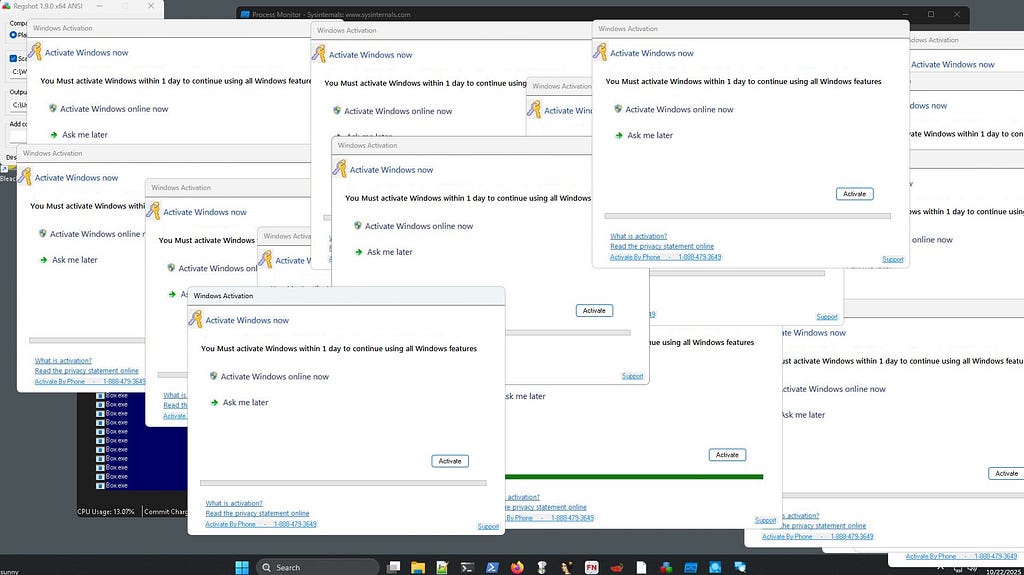
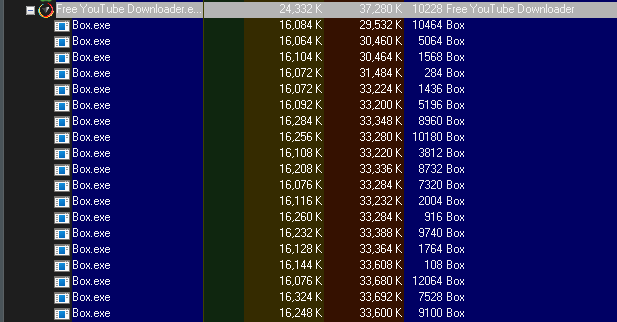
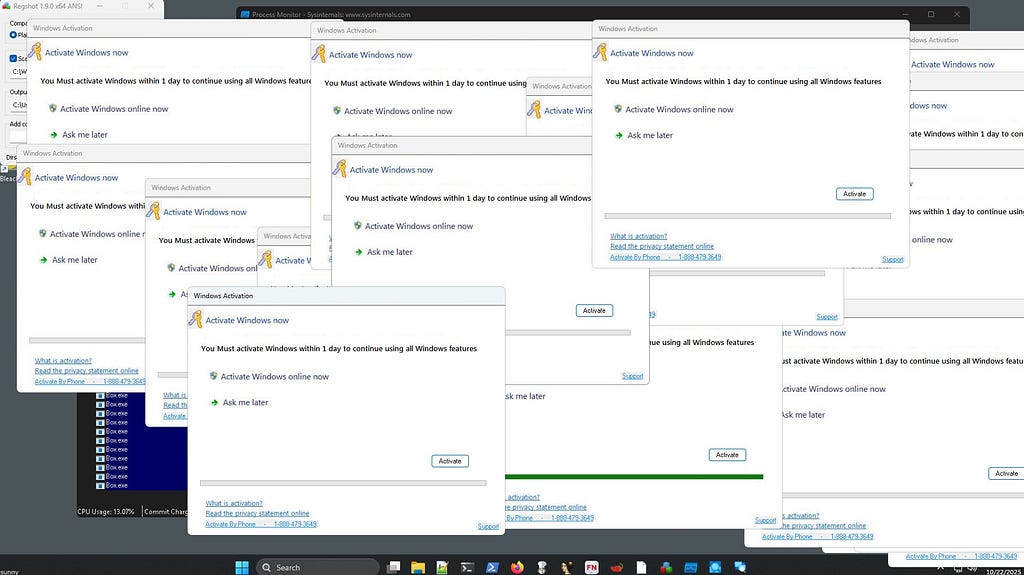
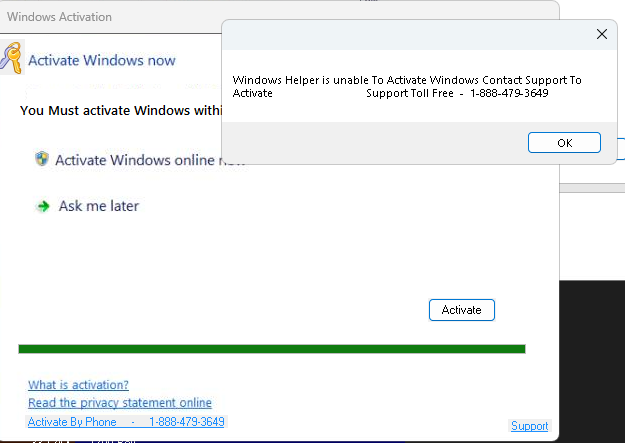
Now the juicy part. Upon execution of FreeYouTubeDownloader.exe, the installer unpacks into C:\Windows\Free YouTube Downloader\ and creates a desktop shortcut named Free YouTube Downloader.lnk.Process Explorer revealed that a secondary process, Box.exe, was repeatedly spawned every minute under the Free YouTube Downloader process (we find out the actual interval later on). Each spawned instance triggered an annoying fake Windows activation prompt, attempting to convince the user that their system license had expired and to call their support number.
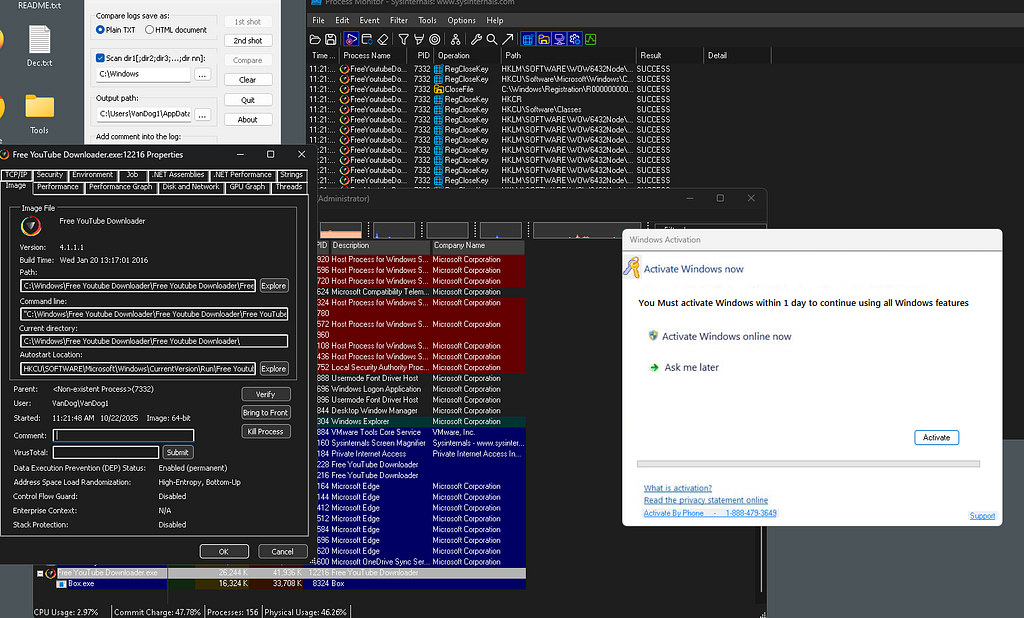
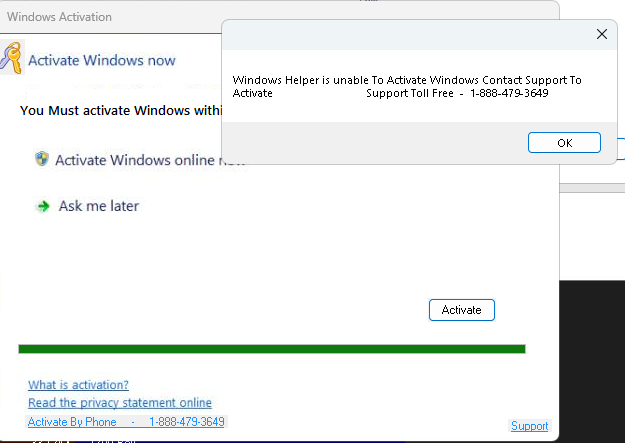
Clicking “Activate” on the pop up initiated a fake progress bar designed to appear legit, ultimately displaying another popup claiming:
“Windows Helper is unable to activate Windows. Contact support to activate. Support Toll Free 1–888–479–3649.”
This behavior clearly indicates a tech support scam, attempting to socially engineer the user into calling the number and potentially leading to some sort of payment, yikes.
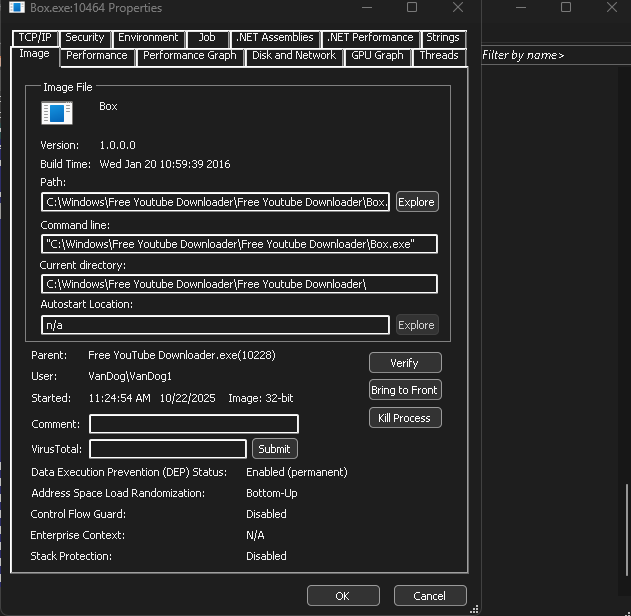
Process Explorer also gives us a bit more insight on the version, build time, parent/child relationship, autostart location, current directory, etc:
My screen eventually looked like this….HELPPPPP.
Using Procmon, we can filter for Process Name and the operationCreateFile.
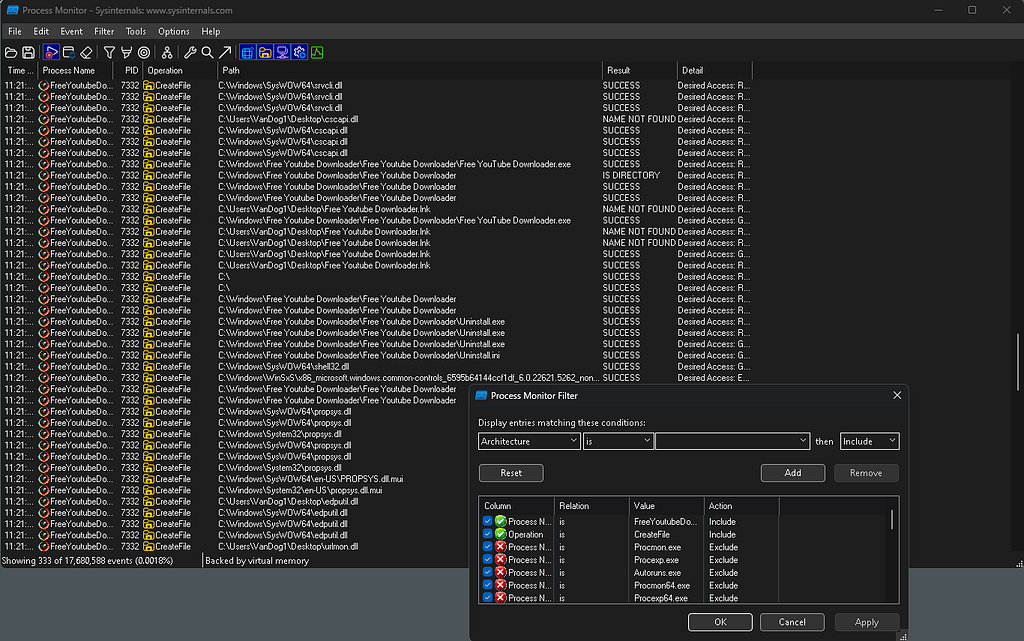
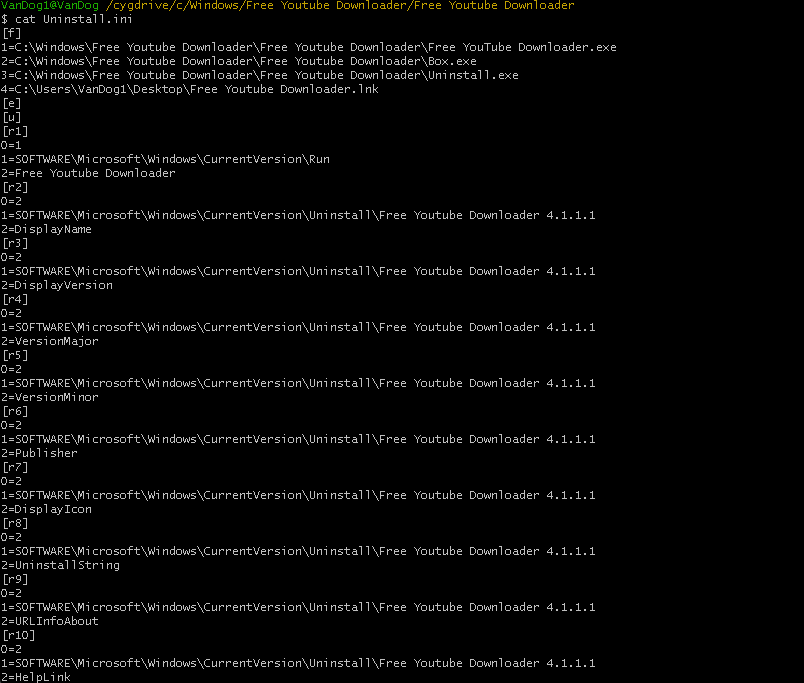
This reveals theWindows\Free YouTube Downloader Folder, containing the Box.exe, Free YouTube Downloader.exe, Uninstall.exe, and Uninstall.ini files and also the desktop shortcut we observed earlier.

Persistence Mechanisms:
Using Procmon(again) and Autoruns, the only persistence evidence observed came from a registry modification under the user’s Run key. This ensures the executable launches automatically at each user logon. No artifacts were detected within the Startup folder or under system-level autostart locations such as Winlogon\Shell or RunOnce. No WMI subscriptions, embedded payloads, etc. Nothing too complex at all.

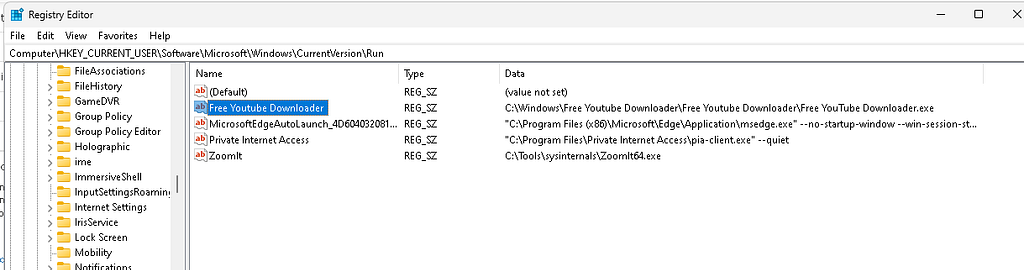
FreeYoutubeDownloader.exe DnSpy Analysis:
Inside the main form (Form1), I found a few interesting things that helped confirm the behavior we saw during behavioral analysis;
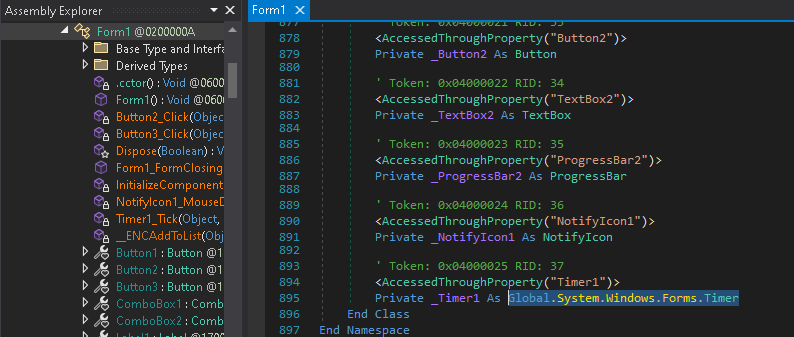
Private _Timer1 As Global.System.Windows.Forms.Timer
This snippet means the program uses a built-in Windows timer that can run code on a set schedule. “A Timer is used to raise an event at user-defined intervals”. Then, under the InitializeComponent() section, we can see the timer being configured:
Me.Timer1.Enabled = True
Me.Timer1.Interval = 120000
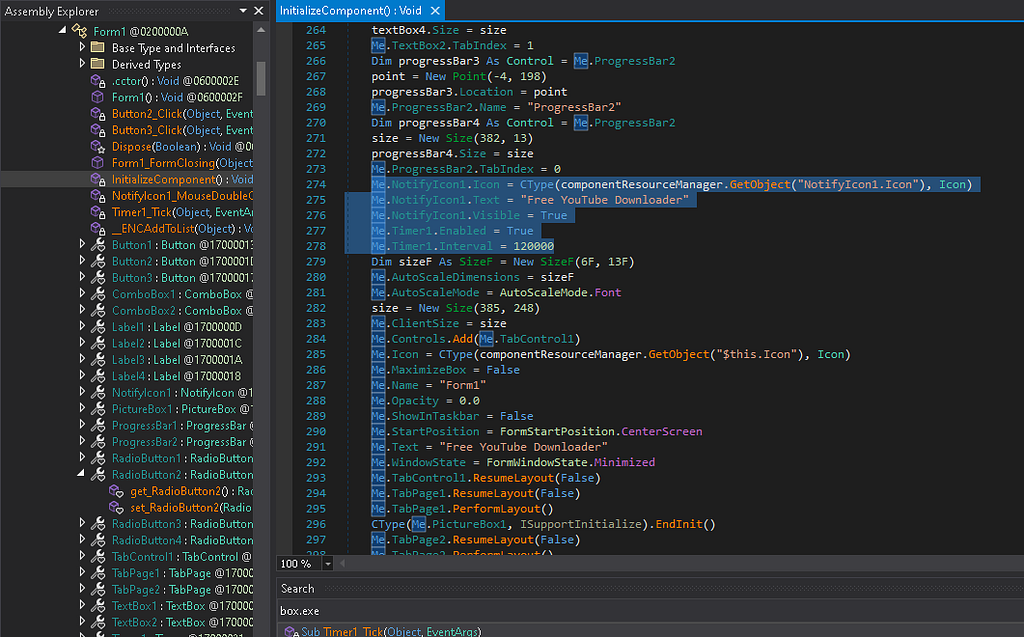
That 120000 value is in milliseconds(docs-desktop/dotnet-desktop-guide/winforms/controls/timer-component-overview-windows-forms.md at main · dotnet/docs-desktop · GitHub). So, every two minutes, this timer triggers a specific function called Timer1_Tick.
Then in the Timer1_Tick() function, we can see exactly what happens when the timer goes off:
Process.Start("C:\Windows\Free Youtube Downloader\Free Youtube Downloader\Box.exe")

This confirms that the Box.exe process is intentionally spawned at two-minute intervals, ANNOYING.
Box.exe DnSpy Analysis:
Sha256: a2380a5f503bc6f5fcfd4c72e5b807df0740a60a298e8686bf6454f92e5d3c02
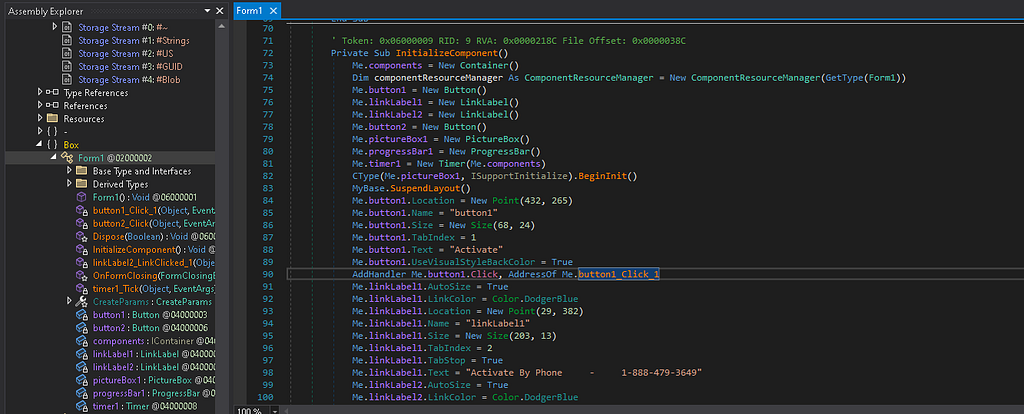
In the InitializeComponent() function, the layout reveals several UI elements: a large background image, an “Activate” button (button1), a “Support” link, a progress bar, and a Timer object. The interesting (not really) part is how those elements are wired together. The Activate button handler (button1_Click_1) simply starts the timer….and that's it, not interesting at all.
Private Sub button1_Click_1(...)
    Me.timer1.Start()
End Sub
Once the timer starts, the timer1_Tick() function increments the progress bar until it reaches 99, which then throws a message box with a fake failure notice (which we saw earlier), pretty simple stuff:
Private Sub timer1_Tick(...)
    Me.progressBar1.Increment(1)
    If Me.progressBar1.Value = 99 Then
        MessageBox.Show("Windows Helper is unable To Activate Windows Contact Support To Activate - Support Toll Free - 1-888-479-3649")
    End If
End Sub
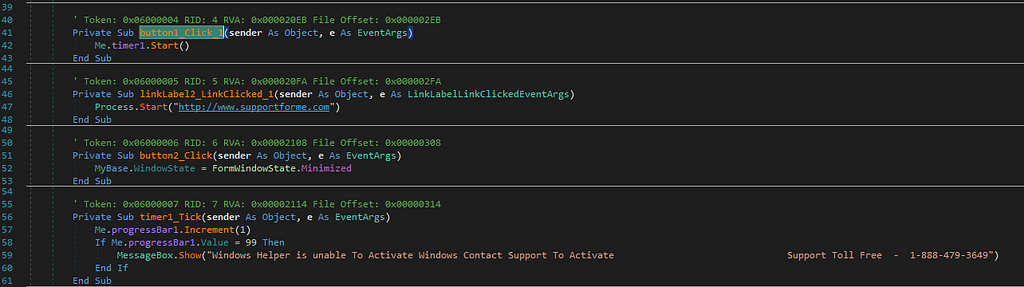
Sooooooo, in other words, the entire “activation” flow is scripted to fail and prompt the user to call the number we extracted earlier…LMAO. But wait there’s more!!!
Uninstall.exe and Uninstall.ini Analysis:
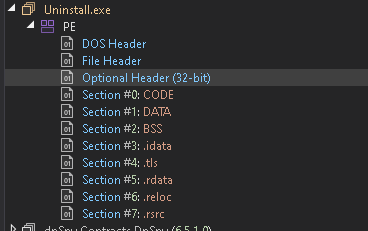
Uninstall.exeappears to be a standard Smart Install Maker uninstaller. The Uninstall.ini file simply lists the removal of the main executables, the desktop shortcut, and registry keys under HKCU\Software\Microsoft\Windows\CurrentVersion\Run. No suspicious or hidden functionality was found.
“Uninstall.ini is a configuration file that stores settings and instructions used by some programs during uninstallation. It’s a legitimate file type often used by installers or setup frameworks (like Smart Install Maker) to manage which files, folders, and registry keys should be removed” noted by What is uninstall.ini?
URL Scoping:
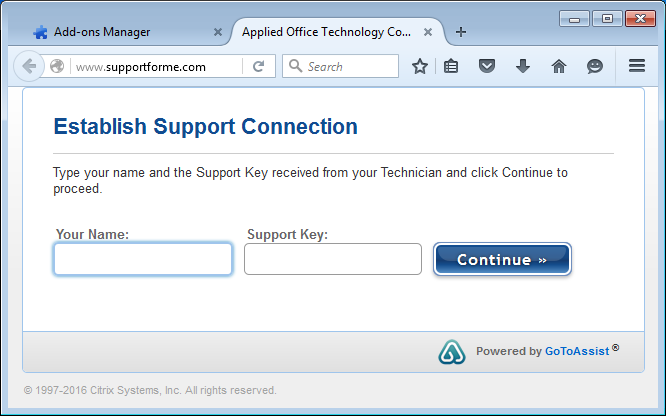
The code snippet above displays the hardcoded URL http[:]//www[.]supportforme[.]com which up to this point, wasn’t automatically called out to…there was a small detail I had missed. This old bleeping computer blog: Book Source Fake Windows Activation Screen Removal Guide notes that this domain has been used to push a remote support client, in this case, GoToAssist. GoToAssist is a legitimate application used for Remote Support. It gives the “Technician” full remote control over your computer…. you can now guess where this is going…..”Pay us if you want us to remove this”.
Here’s is an example of how the page looked like:
Network Activity and Indicators:
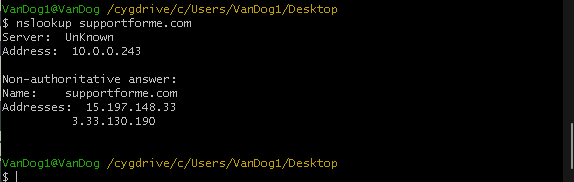
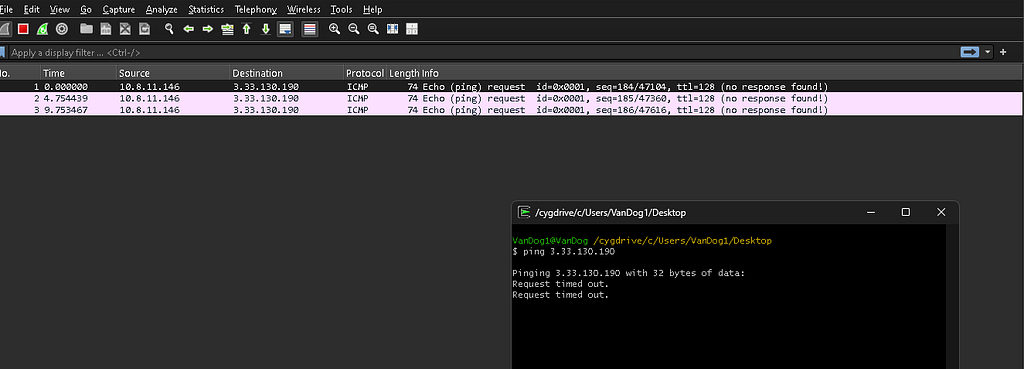
I ran a nslookup query for the domain and received 2 valid A records, 15.197.148.33 and 3.33.130.190 (which we will see in Wireshark).
Remember the Windows Activation pop up from earlier? Clicking the Supportlink within it (which I missed initially) caused Firefox to launch automatically via Process.Start() which triggers the DNS queries noted. TCPView showed multiple outbound SYN attempts to the AWS hosted IPs 3.33.130.190 and 15.197.148.33, but no handshake was completed.
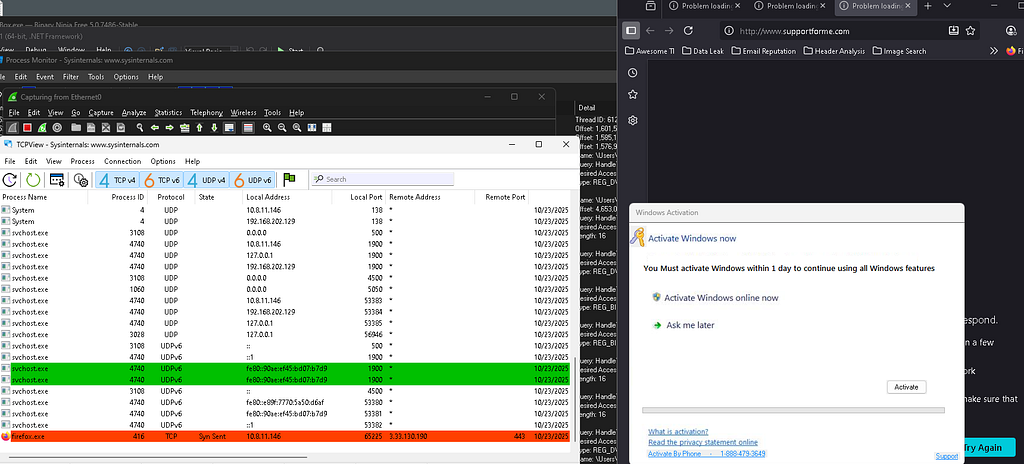
This confirms that the executable’s Process.Start() function simply opens the user’s default browser to the scam domain….the domain infrastructure is offline obviously.

Pinging the IP results in Request Timed Out.
Both IPs were flagged by VirusTotal, comments also note that these relate to malicious activity.
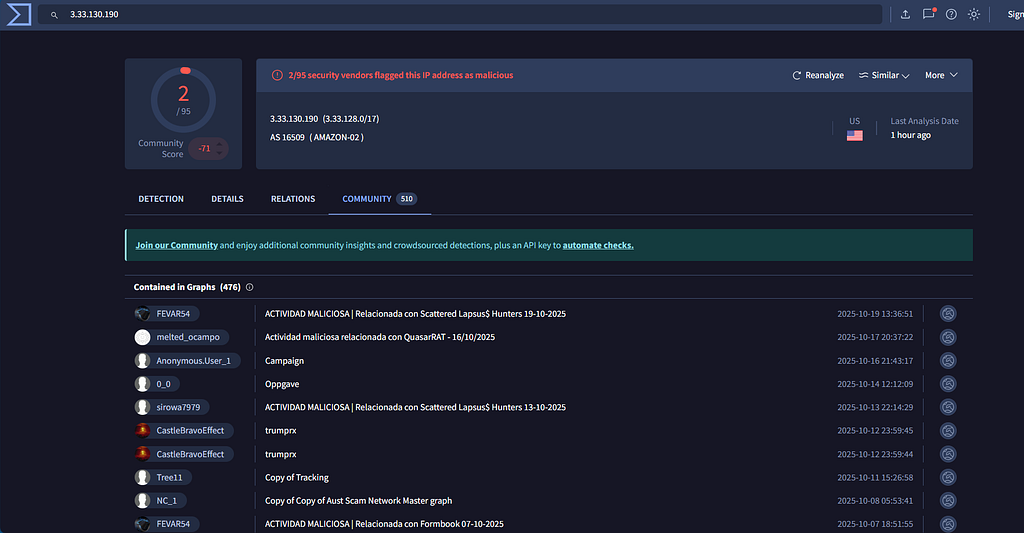
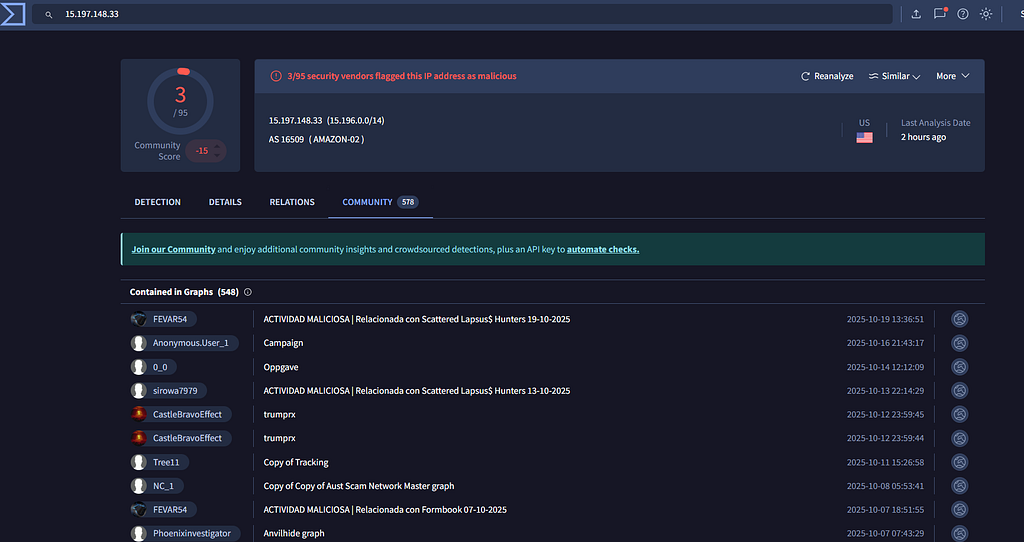
Although VirusTotal flags techniques like keylogging and screen capture, no such activity was observed during static or dynamic analysis.
Indicators of Compromise:
C:\Windows\Free YouTube Downloader\Free YouTube Downloader.exe
C:\Windows\Free YouTube Downloader\Box.exe
C:\Windows\Free YouTube Downloader\Uninstall.exe
C:\Windows\Free YouTube Downloader\Uninstall.ini
C:\Users\<User>\Desktop\Free YouTube Downloader.lnk (desktop shortcut)
HKCU\Software\Microsoft\Windows\CurrentVersion\Run\Free YouTube Downloader
www[.]youtubedownloadernew[.]com
1-888-479-3649
http[:]//www[.]supportforme[.]com
3.33.130.190
15.197.148.33
TLDR;
“Free YouTube Downloader” is a fake installer that unpacks scamware designed to mimic Windows Activation pop ups. Every two minutes, it spawns a fake activation window urging users to call a number or visit a fake support site (supportforme[.]com), tied to old tech support scams using GoToAssist remote access. No keylogging, C2, or advanced persistence mechanisms were observed.